Quick answer: You can’t block an entire area code on iPhone using Apple’s built-in settings. iOS only lets you block individual numbers, screen or silence unknown callers, and filter spam texts. To block every number that starts with the same area code and prefix, such as (212) 555-XXXX, you need a third-party call-blocking app or a carrier service.
If the same area code keeps calling with a different number each time, blocking one number at a time feels pointless. The good news is that you have real options, and some of them stop spam calls before your iPhone even rings.
This guide explains each method that works on iPhone in 2026, which apps support prefix blocking, what your carrier can do, and why no single method stops every robocall.
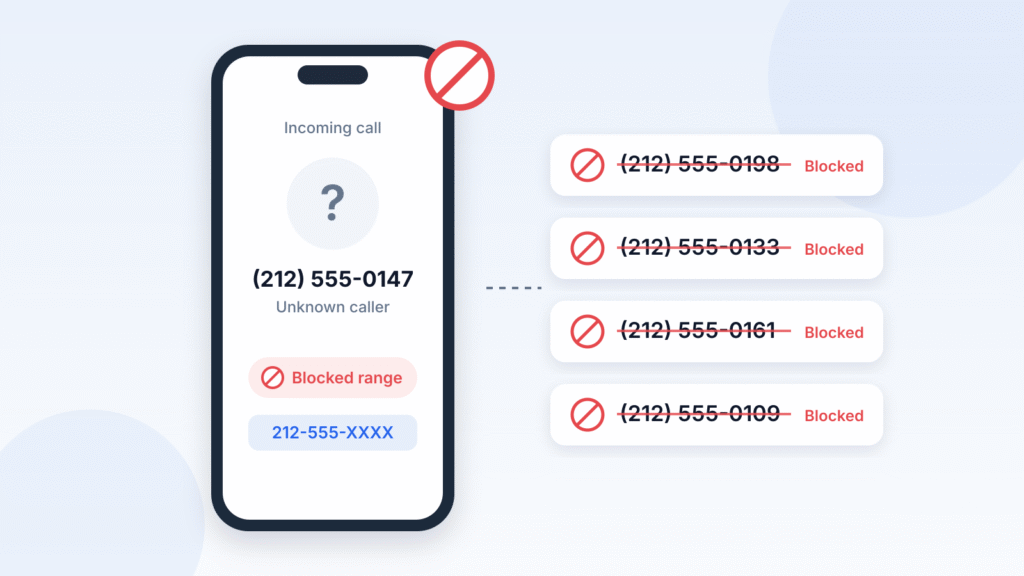
Can You Block an Entire Area Code on iPhone?
No. iOS has no setting that blocks an area code, a prefix, or any range of numbers. Apple’s built-in tools block exact phone numbers, contacts, and email addresses only, as Apple’s guide to blocking numbers shows.
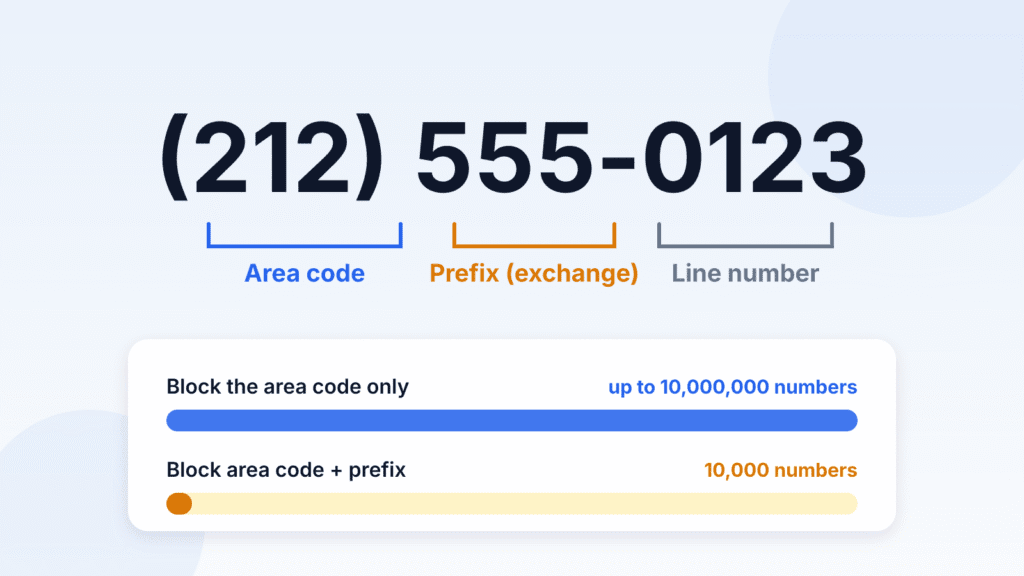
A quick note on terms. In a US number like (212) 555-0123, 212 is the area code and 555 is the prefix (also called the exchange). Blocking an area code plus prefix covers 10,000 numbers. Blocking a whole area code covers up to 10 million.
Does the “+1 (Area Code)” Contact Trick Work?
Not reliably. Many videos and older guides tell you to save a contact with only “+1 (xxx)” as its number, then block that contact. Users in this Apple Community thread on blocking area codes tested it on iOS 17 and iOS 18 and kept getting calls from the “blocked” area code. Skip it and use one of the methods below.
What Actually Works
| Method | Blocks a whole area code? | Blocks area code + prefix? | Cost |
|---|---|---|---|
| iPhone Blocked Contacts | No | No | Free |
| Screen or silence unknown callers | Indirectly (all unknown numbers) | Indirectly | Free |
| Third-party call-blocking app | Some apps | Most prefix-blocking apps | Free to paid |
| Carrier blocking tools | Rarely | Varies by carrier | Free to paid |
How to Block a Number on iPhone
Blocking a single number takes a few seconds, and it applies across Phone, Messages, and FaceTime. It’s the right tool when the same number keeps calling, not when the number changes every time.
From the Phone App
- Open Phone and go to your recent calls (Recents in Classic view, Calls in the Unified layout).
- Tap the number, or tap the Info (i) button in Classic view.
- Scroll down and tap Block Caller.
From Messages
- Open the conversation with the spam texter.
- Tap the number at the top of the screen.
- Scroll down and tap Block Caller.
From Settings (iOS 26 or Later)
- Open Settings and tap Privacy & Security.
- Tap Blocked Contacts, then Add Blocked Contact.
- Select the contact you want to block, then tap Block Contact.
On iOS 18, the list lives under Settings > Apps > Phone > Blocked Contacts instead.
To block a number you haven’t saved as a contact, use the Phone app or Messages steps above. They work straight from your call or message history.
What Happens When You Block a Number
A blocked caller can still leave a voicemail, but you won’t get a notification. Their texts aren’t delivered, and they aren’t told they’ve been blocked, according to Apple’s guide to blocking numbers. To unblock someone, open the same Blocked Contacts list, tap Edit, and remove them.
How to Block an Area Code and Prefix With a Call-Blocking App
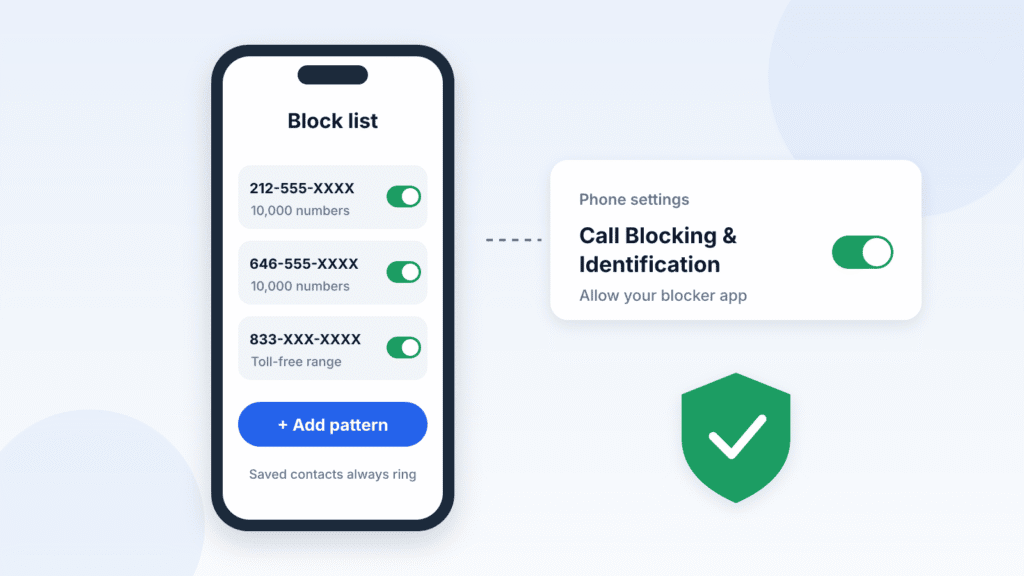
A third-party call blocker is the only way to block a number range on the iPhone itself. These apps load their block lists into iOS through Apple’s Call Blocking & Identification feature, so matching calls don’t ring. Depending on your carrier, blocked calls may still reach voicemail.
How to Set Up a Prefix-Blocking App
- Install a blocker that supports prefix or wildcard blocking (see the table below).
- Go to Settings > Apps > Phone > Call Blocking & Identification and turn on every switch for that app, as described in Apple’s call-blocking guide.
- Turn on any extra feature the app needs for range blocking. Hiya, for example, only blocks prefixes on iPhone when its Premium Call Screener is switched on, according to Hiya’s help center.
- In the app, add the range you want to block, such as 212-555 or the pattern 212-555-XXXX.
- Wait a minute or two while the app loads its list into iOS, then confirm it works.
Call Blockers That Support Number Ranges on iPhone
| App | What it can block on iPhone | Price | Key limit |
|---|---|---|---|
| Hiya | Area code + prefix, up to 25 combinations | Free (warnings only); Premium with Call Screener on to block | Area code alone not allowed on iPhone |
| Robokiller | Ranges of at least 5 digits, such as +1 212-55 | Subscription | US numbers only; over 2 million numbers needs Premium+ |
| Number Shield | Wildcard patterns, up to 50 million numbers (about 5 full area codes) | $2.99 one-time | Up to 7 wildcards per pattern |
| WideProtect | Prefixes and patterns, up to 1 billion numbers (about 100 US area codes) | 3-day trial, then $2.99/month, $19.99/year, or $44.99 lifetime | Includes preset prefix lists for India, the UK, and other countries |
| Simple Call Blocker | Individual numbers or ranges | Free | No built-in spam database |
Prices and limits are from each app’s App Store listing or help center as of October 2026. Check them again before you buy.
Tips Before You Block a Whole Prefix
- Save important numbers first. Add your doctor, pharmacy, school, and bank to Contacts. Pattern blockers such as Phone Spam Pattern Blocker note that iOS lets saved contacts through even when they match a blocked pattern.
- Clear numbers you’ve called. Since iOS 26, a number you’ve dialed yourself may not be blocked until you delete it from your recent calls, according to WideProtect’s developer.
- Mind the limits. Each app sets its own cap. Number Shield’s developer says its 50-million-number limit comes from how iOS lets apps load block lists, while WideProtect reaches 1 billion. Neither limit applies to your iPhone’s own Blocked Contacts.
- Check privacy before you install. Some call blockers ask for broad permissions, and Incogni warns that a few are linked to data brokers. Favor apps that keep your block list on your device.
How to Screen or Silence Unknown Callers on iPhone
If spam keeps coming from new numbers, built-in call screening is the strongest free option. Apple’s call-screening tools help manage calls from numbers your iPhone doesn’t recognize, reducing interruptions without blocking an entire area code.
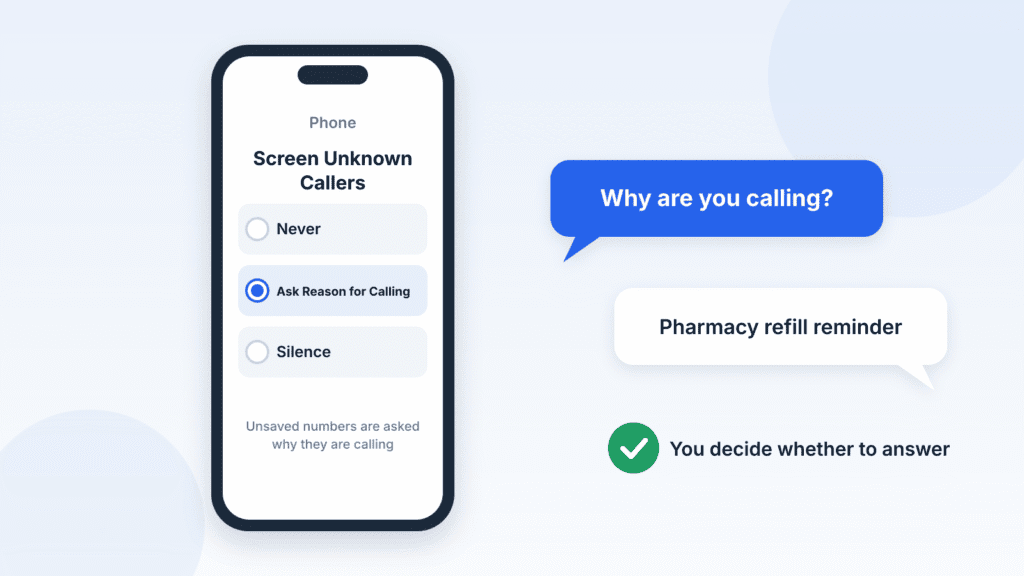
Turn On Screen Unknown Callers
- Open Settings > Apps > Phone.
- Scroll to Screen Unknown Callers.
- Pick one option:
- Ask Reason for Calling: iPhone asks unknown callers why they’re calling before your phone rings, then shows you their answer.
- Silence: calls from unsaved numbers are silenced, sent to voicemail, and listed in your recent calls.
- Never: unknown calls ring as normal.
Call screening isn’t available in every country, and calls aren’t screened while you’re roaming. If you call emergency services, screening turns off for 24 hours so responders can reach you, as noted in Apple’s guide to managing unknown callers.
Turn On Call Filtering
In the same Settings > Apps > Phone screen, scroll to Call Filtering:
- Spam: calls your carrier flags as likely spam or fraud are silenced and moved to a Spam list.
- Unknown Callers: missed calls and voicemails from unknown numbers move to a separate Unknown Callers list, so your main call history stays clean.
To review those lists, open the Phone app, tap the Filter button, then choose Spam or Unknown Callers.
Which option should you choose? Ask Reason for Calling suits most people because delivery drivers and doctors’ offices can still reach you. Choose Silence only if you rarely get legitimate calls from new numbers.
How to Filter Spam Texts From Unknown Numbers
You can’t block texts by area code in the Messages app either. What you can do is move every text from an unknown sender out of your main inbox and silence its notifications.
Turn On Screen Unknown Senders
- Open the Messages app.
- Tap the Filter button at the top right of your conversation list.
- Tap Manage Filtering and turn on Screen Unknown Senders.
Texts from numbers that aren’t in your contacts now go to separate folders, and you won’t be notified about them, according to Apple’s guide to filtering unknown senders. If an expected text doesn’t show up, check those folders before assuming it was lost.
Report and Block Spam Texts
- Open the spam conversation, tap the number at the top, and tap Block Caller.
- In the US, forward spam texts to 7726 (“SPAM”) so your carrier can investigate the sender.
- For pattern-based filtering, apps such as Number Shield and WideProtect SMS Blocker add a message filter that you switch on in your Messages settings. These filters work on SMS and MMS texts only. They don’t block iMessages, and matching texts go to the Junk folder rather than disappearing, as Number Shield’s App Store listing explains.
Can Your Carrier Block an Area Code or Prefix?
Sometimes. Carrier tools come from your mobile provider, not from iOS, and each carrier offers something different. Verizon’s Neighborhood Filter, for example, is a feature inside the Verizon Call Filter app. Verizon is the only major US carrier that documents prefix blocking for iPhone users.
| Carrier | Tool | Area code + prefix blocking | Whole area code blocking |
|---|---|---|---|
| Verizon | Call Filter app, Neighborhood Filter | Yes: up to 5 prefixes free, 10 with Call Filter Plus | Call Filter Plus on Android only |
| T-Mobile | Scam Shield | Not offered; Scam Block targets likely scam calls, including neighbor spoofing | Not offered |
| AT&T | ActiveArmor app | Not documented; blocks fraud calls automatically and lets you block specific numbers | Not documented |
How to Use Verizon’s Neighborhood Filter
- Open the Call Filter app.
- Go to Block > Filters > Neighborhood filter.
- Turn on Block similar to mine to stop calls that share your own area code and prefix.
- To block another range, tap Add new, enter the first 6 digits, and tap Add.
Matching calls go to voicemail. If the filter catches a call you need, you can let that number bypass it, as explained in Verizon’s Neighborhood Filter guide.
T-Mobile and AT&T
T-Mobile customers can turn on Scam Block by dialing #662#, or through the Scam Shield or T-Life app. AT&T customers get automatic fraud call blocking and spam labels through the ActiveArmor app. Neither carrier documents a way to block a custom area code or prefix, so pair them with a call-blocking app if you need range blocking. Other carriers’ options vary, so ask your carrier’s support team directly.
Why Blocking an Area Code Won’t Stop Every Spam Call
Area-code blocking cuts down repeat offenders, but it can’t stop spam on its own. Many unwanted callers use caller ID spoofing to display misleading numbers, which makes traditional number blocking less effective.
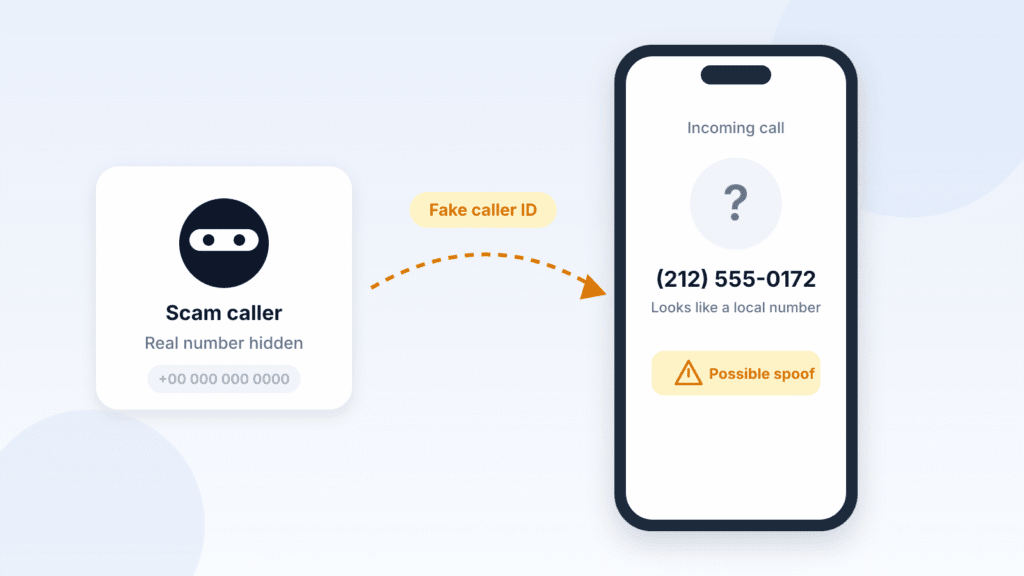
- Caller ID spoofing. Callers can make your caller ID show a false number, often one that looks like a business or government agency you trust. Because scammers switch numbers often, blocking one number rarely stops future calls, according to the FCC’s guide to caller ID spoofing.
- Neighbor spoofing. Many scam calls copy your own area code and prefix so they look local, according to Hiya’s guide to blocking area codes and prefixes. Blocking your own prefix stops those calls, but it can also block your neighbors, local schools, and clinics.
- Scammers rotate numbers. When one range is blocked, robocallers move to another, so a block list needs occasional updates.
- The Do Not Call Registry doesn’t block calls. It tells law-abiding telemarketers not to call you, but scammers ignore it, according to the FTC’s Do Not Call FAQs.
The Setup That Works Best
Layer these protections instead of relying on one:
- Turn on Screen Unknown Callers > Ask Reason for Calling.
- Turn on Call Filtering > Spam in Phone settings.
- Add a prefix-blocking app for the specific ranges that keep calling you.
- Switch on your carrier’s free spam blocking.
- Register your number on the National Do Not Call Registry at DoNotCall.gov.
- Hang up on robocalls without pressing any buttons, and report them to the FTC.
Frequently Asked Questions
Is it possible to block an entire area code on iPhone?
Not with Apple’s built-in settings. Some third-party apps can do it: Number Shield blocks up to about 5 full area codes, and WideProtect covers about 100. Hiya and Robokiller don’t allow an area code alone on iPhone, so you need to add a prefix too.
Can I block calls that start with the same six digits?
Yes, with a call-blocking app. Enter the area code and prefix, such as 212-555, in Hiya, Number Shield, WideProtect, or Simple Call Blocker. Verizon customers can also add the first 6 digits in the Call Filter app’s Neighborhood Filter.
How do I block 833, 855, 877, or 888 numbers on iPhone?
These are US toll-free area codes, so treat them like any other area code. Use an app that accepts wildcards, such as Number Shield with a pattern like 833-###-####. Be careful: banks, airlines, and pharmacies also call from toll-free numbers.
Can I block texts from an area code on iPhone?
Not directly. Turn on Screen Unknown Senders in Messages to move texts from unknown numbers out of your inbox. For pattern-based filtering, use a text-filter app such as Number Shield or WideProtect SMS Blocker. These filter SMS and MMS texts only, not iMessages.
How many numbers can I block on iPhone?
Apple doesn’t publish a limit for Blocked Contacts. Range-blocking apps set their own caps: Hiya allows 25 area code and prefix combinations, Number Shield up to 50 million numbers, and WideProtect up to 1 billion.
Is it *67 or *69 to block a call?
Neither blocks incoming calls. In the US, *67 hides your number on a call you make, and *69 calls back the last number that called you on many landlines. To stop incoming calls, use the iPhone methods above.
How do I block an area code on a landline?
It depends on your phone company. Many US landline providers let you block specific numbers with *60, but not whole area codes. For range blocking on a home phone, the FTC suggests a call-blocking device or your provider’s call-blocking service.
How do I stop 140-series telemarketing calls in India?
Register your preferences on TRAI’s Do Not Disturb (DND) registry through the TRAI DND app or by calling 1909. TRAI says 140-series promotional calls can’t be tagged or filtered except through the DND registry, and service calls from banks and government bodies on the 1600 series can’t be blocked, according to TRAI Press Release No. 91/2026 (10 July 2026).
The Bottom Line
Your iPhone can’t block an area code or prefix on its own, and the popular contact trick doesn’t work. For most people, the best fix is to turn on Screen Unknown Callers and Call Filtering, then add a prefix-blocking app like Hiya, Number Shield, or WideProtect for the ranges that keep calling. If you’re a Verizon customer, the Call Filter app’s Neighborhood Filter offers another way to send calls from selected area codes and prefixes to voicemail.

Louis Mugan is a seasoned technology writer with a talent for turning complicated ideas into clear, practical guidance. He focuses on helping everyday readers stay confident in a world where tech moves fast. His style is approachable, steady, and built on real understanding.
He has spent years writing for platforms like EasyTechLife, where he covers gadgets, software, digital trends, and everyday tech solutions. His articles focus on clarity, real-world usefulness, and helping people understand how technology actually fits into their lives.
Outside of his regular columns, Louis explores emerging tools, reviews products, and experiments with new tech so his readers don’t have to. His steady, friendly approach has made him a reliable voice for anyone trying to keep up with modern technology. get in touch at louismugan@gmail.com