
Quantum Computing Fundamentals for Curious Beginners
Quantum basics and qubits explained for curious beginners

Quantum basics and qubits explained for curious beginners
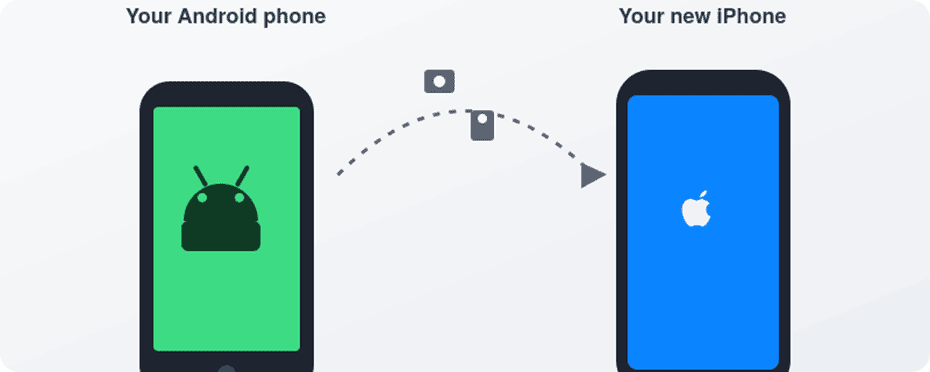
Updated September 2026 Switching from Android to iPhone can feel exciting and a little scary at the same time. Your phone holds everything — banking, messaging, photos, work — so the idea of moving it all and learning a new system can feel risky. This guide walks through what actually happens when you move from Android to iPhone: what transfers easily, what needs extra care, and which tools to use. With a bit of preparation, most people move their important data safely and start using their new iPhone with confidence. Key takeaways Understanding the switch Android and iOS are two different operating systems with their own app stores, account systems, and backup methods. On Android, you sign in with a Google Account and typically back up device data to your Google Account, while services such as Google Photos and Google Contacts keep photos and contacts synced separately. On iPhone, you sign in with an Apple ID, download apps from the App Store, and back up with iCloud or a computer. You’re not just moving files — you’re adding a new ecosystem alongside the one you already use. Your Google account doesn’t disappear when you switch. You can add the same Google account under Settings → Apps → Contacts → Contacts Accounts → Add Account (and the equivalent path in the Calendar app) so Gmail, Contacts, and Calendar keep syncing there, just as they did on Android. Meanwhile, you’ll create or sign in to an Apple ID, which becomes your main account for the App Store, iCloud backups, iMessage, FaceTime, and purchases. What will feel familiar: What will feel new: Before you touch the new iPhone: the pre-switch checklist A little prep now saves a lot of stress later. Transfers usually go smoothly, but Wi-Fi drops, batteries die, and cables come loose — so a backup is your safety net if anything interrupts the process. Spending a little time on this checklist before you start can prevent problems later. Choosing your transfer method There are three main approaches, and you can combine them. Move to iOS app (or the app-free version). Apple’s official switching tool. You start setup on the new iPhone and connect the Android phone over a temporary Wi-Fi network the iPhone creates, or a USB-C cable for a faster connection. According to Apple’s current transfer guidance, it moves contacts, message history, SMS, photos and videos, files and folders, accessibility and display settings, bookmarks, mail accounts, WhatsApp messages and media, Voice Memos, call history, and calendars. As of iOS 26.5, if your Android device runs a compatible version of Android 17 or later, you don’t need to install anything: on the “Transfer Your Apps & Data” screen, choose From Android, then Transfer without App, and simply scan a QR code to connect the two phones — this method can also transfer your eSIM directly. Check with your device’s manufacturer to see if it supports this. This method only works while the iPhone is brand new or freshly erased — it runs during initial setup, not afterward. Cloud-based methods. Rely on your existing accounts rather than a single tool: add your Google account in Settings and turn on Contacts and Calendar sync, use Google Photos (or another photo service) on both phones, and lean on streaming services for music instead of copying local files. This is the better route if your iPhone is already set up and you don’t want to erase it. Computer-based methods. Connect your Android phone to a computer, copy over photos, videos, music, and documents, then sync that folder to the iPhone using Finder (Mac) or the Apple Devices app (Windows), following Apple’s manual transfer guide. Best for large local media libraries or when you want more manual control. A common combination: use Move to iOS for messages and core data, then a computer for a big local music collection. Setting up the new iPhone If the iPhone is brand new or you’re willing to erase it: If the iPhone is already in use and you don’t want to erase it, you can’t use Move to iOS — Apple’s own guidance is clear on this. You’ll need cloud- and computer-based methods instead, or erase the iPhone via Settings → General → Transfer or Reset iPhone → Erase All Content and Settings to get back to that setup screen. Using Move to iOS: the main transfer If the transfer fails: keep the Move to iOS app open on Android the entire time, turn off Wi-Fi-interfering settings (like a “Smart Network Switch” feature), forget saved networks that might be causing interference, restart both phones, and try again. Turning off Android’s cellular data during the attempt can also help. What transfers, category by category Contacts. These normally appear directly in the iPhone’s Contacts app after a Move to iOS transfer. If you’d rather rely on Google, go to Settings → Apps → Contacts → Contacts Accounts → Add Account, sign in, and turn on Contacts sync — then any changes stay in sync going forward. Either way, scroll through your contact list afterward and fix anything missing while the Android phone is still around. Text messages and messaging apps. Regular SMS/MMS history moves into the Messages app. For third-party apps: apps like Telegram and Messenger store chats in the cloud, so you just install and sign in. WhatsApp supports transferring eligible chat history and media from Android to iPhone, most commonly through the Move to iOS method: select WhatsApp during the transfer, then confirm the migration the first time you open WhatsApp on the iPhone using the same phone number. Because WhatsApp’s supported data and transfer options can change, check WhatsApp’s own current migration instructions before you erase the Android device, rather than assuming everything will carry over. Other apps that only ever stored chats locally on the device may not be transferable at all — check the developer’s documentation too. Two-factor authentication apps deserve special attention: Move to iOS doesn’t reliably move these. Before switching, use whatever

NVMe SSDs and DirectX 12 GPUs are the key to faster gaming DirectStorage is one of those Windows 11 gaming features that you keep hearing about whenever people talk about faster loading times and next generation storage. It can sound mysterious, but in practice it comes down to a few clear checks on your storage drive, graphics card, and Windows version. In this guide I will walk you through how to see whether your current Windows 11 PC can actually use DirectStorage right now, using tools that are already built into the system. I will also explain what to upgrade if you are missing a requirement and what kind of real world improvement you can expect. Key Takeaways DirectStorage in Windows 11 at a Glance DirectStorage is a Windows feature in the DirectX family that lets games load data more efficiently from a fast NVMe SSD straight to the graphics card. Instead of sending game data through several layers of the operating system and making the CPU decompress everything, DirectStorage lets the game batch many small requests and move them to the GPU in a more direct way. Microsoft Learn In simple terms, this means: Microsoft created DirectStorage first as part of the Xbox Velocity Architecture for modern Xbox consoles. Later the same idea came to Windows PCs so that games can use the same style of high bandwidth input output on powerful NVMe drives. Microsoft for Developers For you as a player, the key benefits are: Two important points often get missed in marketing: Requirements Checklist for DirectStorage Support Before you open any menus, it helps to know what DirectStorage expects from your PC. Microsoft lists the feature on the Windows 11 specifications page and in DirectStorage documentation. Storage NVMe SSD connected through PCIe DirectStorage is designed for NVMe SSDs on the PCIe bus rather than for SATA SSDs or mechanical hard drives. Microsoft states that DirectStorage requires an NVMe SSD that uses the Standard NVM Express Controller driver and that game files need to be stored on that drive. Some additional practical notes from Microsoft partners and storage vendors: In everyday language, an NVMe SSD is the slim gum stick style drive that plugs into an M.2 slot on your motherboard and talks directly to the PCIe controller, while a SATA SSD or hard drive usually uses a rectangular 2.5 inch or 3.5 inch form factor with a cable. Graphics DirectX 12 GPU with Shader Model 6.0 Microsoft states that DirectStorage requires a DirectX 12 GPU with Shader Model 6.0 support. Many modern gaming graphics cards from Nvidia, AMD, and Intel already meet this requirement. Practical points: The Xbox Game Bar interface in Windows 11 provides a simple label such as “Your system is DirectX 12 Ultimate ready” under the Graphics section of the Gaming features panel. Acer Corner If you see a message like this, it is a strong sign that your GPU can support DirectStorage when paired with the right storage. Integrated graphics on older laptops often only support earlier versions of DirectX or older shader models, so they may not meet the DirectStorage requirement. Operating system DirectStorage is available on both Windows 10 and Windows 11, but Microsoft repeatedly describes Windows 11 as the best environment for DirectStorage because the storage stack and input output path have been updated. Windows Central Key points: For this guide we focus on Windows 11, since that is what most modern DirectStorage information and user interfaces are designed for. Method: Step by Step Guide to Checking DirectStorage Support In this section we will use tools that are already on your Windows 11 PC. You do not need to install any special utilities just to check DirectStorage. We will: Step 1: Check DirectStorage status with Xbox Game Bar According to Microsoft and several hardware guides, Xbox Game Bar in Windows 11 includes a Gaming features section that reports whether DirectX 12 Ultimate and DirectStorage are supported on your system. Acer Corner Follow these steps: You should now see a panel with two main sections. On one of my own mid range Windows 11 gaming PCs that has an NVMe SSD and a modern GPU, the Gaming features panel shows DirectX 12 Ultimate support at the top, and further down it lists the primary NVMe game drive as DirectStorage supported. On an older desktop I tested that has a SATA SSD and an older graphics card, the same panel shows that the GPU does not support DirectStorage and the drive is not DirectStorage supported. That machine still runs games, but it cannot use this feature. If the panel shows that DirectStorage is not supported, do not panic yet. The next steps will help you see which part of the system is the blocker. Step 2: Confirm whether your storage drive is NVMe Even if the Game Bar already shows DirectStorage status for drives, it is useful to confirm what type of storage you have. Here is a simple method using Task Manager: For each disk, look at the name next to the small drive icon: On one of my test laptops, Disk 0 shows a model name that includes “NVMe” and Performance view confirms that it is an SSD. This is the drive that the Game Bar lists as DirectStorage supported when I install games on it. On another older tower PC, Disk 0 only shows as “SSD” with no NVMe in the name, and benchmark tools confirm it is a SATA drive. Xbox Game Bar lists that drive as not DirectStorage supported even though it is solid state. If you want even more detail, you can also: This path helps you confirm which physical SSD or HDD contains your game library. Combine that with the Task Manager view so you know whether your game install is on an NVMe drive. Step 3: Check the graphics card capabilities Next we confirm your GPU model and DirectX support level. Option A – Check GPU model in Settings Here you will see

Unlock built in laptop AI for faster focus and creativity

Bring digital humans to life for powerful social branding
Key tools and steps to spot and verify deepfakes

Decode AI content detectors and watermark signals
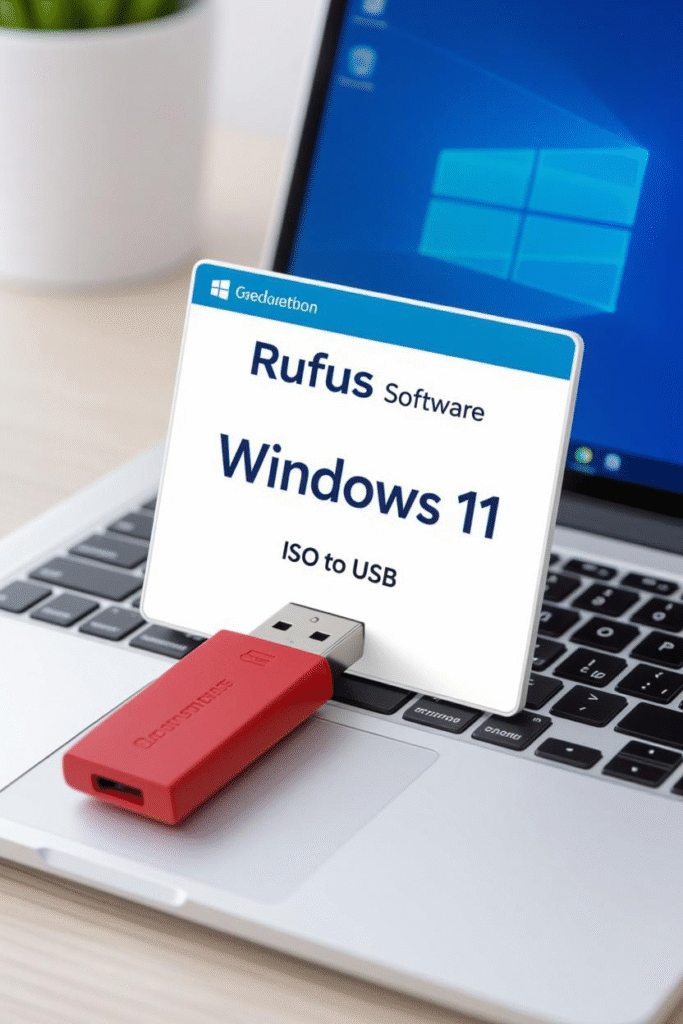
How to write an ISO file to a USB on 2025:Download Rufus → put your USB in → pick the ISO → Start.Rufus erases everything and formats the USB drive to install a bootable Windows 10/11, Linux, or recovery software. What You’ll Need to Burn an ISO to a USB The next time you want to bring your favourite tool or an operating system with you, carry the entire collection of tools in a sufficiently large USB drive using USB keys and boot from it. The term ISO file refers to a complete digital copy (binary image) that’s an exact duplicate of the disk it was copied from – useful for OS installers, antivirus tools, and system diagnostics. While it doesn’t work like simple file copying, burning an ISO makes a USB’s partition and boot information contextually aware enough to start your system off of it. For those struggling with creating a bootable USB with your swearing good cheer, Rufus is still the number-one zero-cost program of choice – fast, portable, and verified fully compliant with UEFI PCs as well as those not running non-Enterprise Windows 8 through 11. What You’ll Need Requirement Description ISO file The operating system or tool image (For example, Windows 11 ISO, Ubuntu 24.04 LTS ISO) USB drive Minimum 8 GB (everything will be wiped) Rufus tool Free utility from rufus.ie Windows PC To use Rufus and create the bootable USB How to Burn an ISO to USB in Rufus 1. Download and Open Rufus Go to rufus.ie and grab the portable version (you don’t need to install it).Run the .exe, then grant any permission requests.Optional: turn on auto-update for future releases (since Rufus 4.6, updates are signed by Pete Batard). 2. Insert Your USB Drive Plug in your USB flash drive.Rufus will detect it automatically; select it in the Device drop down.Warning: The drive will be reformatted – back up any important files first. 3. Select the ISO File From Boot selection, choose Disk or ISO image → SELECT.Locate your ISO (e.g., Win11_24H2_English_x64.iso) → click Open.Rufus verifies the image; if it’s not supported, redownload from Microsoft or Linux. 4. Modify Settings in Rufus (Defaults Are Fine) Setting Recommended Option Purpose Image Option Standard Windows install (Windows ISOs) Setup (Using Wine for older LMDE needed when installing with a Windows ISO) Partition Scheme GPT for modern UEFI PCs; MBR for legacy BIOS According to your motherboard firmware File System NTFS (default); FAT/FAT32 not recommended but may be necessary for legacy OS NTFS supports files over 4 GB Volume Label Custom name (optional) Helps label the drive For older or reused drives, turn on “Check device for bad blocks” in Advanced Format Options. 5. Start the Burning Process Click START → DATA DELETION CONFIRMATION.Rufus formats the drive and writes the bootable data.Time: 2–20 minutes depending on image size and USB speed.When you see READY, click Close and safely eject your USB. Boot from the USB Drive Insert it into the computer you want to install or repair.Reboot and enter the boot menu (usually F2, F10, F12 or Esc).Select your USB as the boot device and follow on-screen instructions. Examples: Secondary Option: Accessing ISO Files without Booting If you only need the ISO’s contents (not a bootable USB):Right-click the ISO → Open with → 7-Zip/WinRAR → Extract to USB Drive.This copies files but does not create a bootable image. Pro Tips for 2025 Users Tip Benefit Use USB 3.0/3.2 ports Up to 10× faster write speed Prefer Rufus Portable Runs without installation Check ISO checksum (SHA-256) Verifies integrity against official sources Use GPT + UEFI Faster boot and modern firmware support Try Ventoy (ventoy.net) Multi-boot multiple ISOs from one USB Common Troubleshooting Issue Solution Device not found Reinsert drive or restart Rufus ISO too big Use 8 GB + drive or reduce ISO size Boot fails Switch GPT ↔ MBR or NTFS ↔ FAT32 “Unsupported ISO” error Download official image or update Rufus Why Rufus Is Trustworthy Rufus has been developed since 2011 by Pete Batard (Akeo Consulting).It’s digitally signed, ad-free, and open-source on GitHub.Each release is SHA-verified and trusted for professional IT use.Always download only from rufus.ie – never third-party mirrors. Conclusion Creating a bootable USB drive from an ISO in 2025 is easier than ever with Rufus.In just a few clicks, you can make installation media for Windows 11, revive an old PC with Linux, or build a portable recovery toolkit. Lightweight, efficient, and reliable, Rufus remains the gold standard for ISO-to-USB creation – a true all-in-one solution for both personal and B2B tech workflows. FAQs Q1. How to burn an ISO image on a DVD instead of USB? Right-click the ISO → Burn disc image → follow Windows 10/11 prompts. Q2. Can I use Rufus to create a Windows 10 or 11 On-The-Go USB? Yes, use an original Windows ISO for standard installation media. Q3. How do I create a bootable or live USB for macOS? Use Terminal’s createinstallmedia command or tools like balenaEtcher. Q4. How to create bootable USB for Linux? Most Linux ISOs work directly in Rufus. Alternatives: UNetbootin, balenaEtcher, Ventoy. Q5. Is Rufus safe? Yes. 100 % free, open-source, and widely trusted by Microsoft and Linux communities. Louis MuganLouis Mugan is a seasoned technology writer with a talent for turning complicated ideas into clear, practical guidance. He focuses on helping everyday readers stay confident in a world where tech moves fast. His style is approachable, steady, and built on real understanding. He has spent years writing for platforms like EasyTechLife, where he covers gadgets, software, digital trends, and everyday tech solutions. His articles focus on clarity, real-world usefulness, and helping people understand how technology actually fits into their lives. Outside of his regular columns, Louis explores emerging tools, reviews products, and experiments with new tech so his readers don’t have to. His steady, friendly approach has made him a reliable voice for anyone trying to keep up with modern technology. get in touch at louismugan@gmail.com

Yes, COM Surrogate is totally safe. COM Surrogate is a legitimate Windows process called dllhost.exe. It’s what allows the “Component Object Model” (COM) objects to be run safely outside the main process, which makes it possible for File Explorer to generate thumbnails and previews without crashing. Malware can masquerade as COM Surrogate if not located in its proper folder (usually C:\Windows\System32 or C:\Windows\SysWOW64). If you see it in another folder such as Downloads or AppData, this could be a virus impersonating. If you’ve ever taken the time to look at the processes in Task Manager when your computer is running, you’ve probably seen something named “COM Surrogate” or dllhost.exe. The good news: in the vast majority of cases, it’s completely safe – it’s just doing part of what Windows does to keep itself running smoothly. COM Surrogate makes sure dynamic code, such as DLLs that are often used for generating thumbnails, or for media playback (which is a heavy use of dynamic code) don’t crash the entire system if something goes wrong. All the same, malware authors do sometimes use this name in an attempt to deceive. Understanding how to verify it can help protect your PC. What Is COM Surrogate (dllhost.exe)? COM Surrogate is the friendly name for dllhost.exe, which was new in Windows 7 but is still essential on Windows 10 and 11. “COM” refers to Component Object Model – Microsoft’s framework for safely enabling different software components (DLLs) to communicate. Simply put, COM Surrogate is just a protective container. It runs potentially unstable DLLs in isolation, so that if a preview handler or codec crashes, File Explorer doesn’t. Example:When you open a folder full of photos and view their thumbnails, the behind-the-scenes process COM Surrogate is making them safely. Why You See COM Surrogate in Task Manager If you press Ctrl + Shift + Esc, you will see several COM Surrogate sessions. These jobs run as DLL-based task instances for each type of: Normal behaviour: Several COM Surrogate processes running at once with minimal CPU or RAM usage.Potential problem: High CPU spikes or repeated crashes – often caused by corrupt media files or outdated codecs, not malware. Fix Tip: Updating graphics drivers, uninstalling problematic codec packs, or using System File Checker usually resolves the issue. Is COM Surrogate a Virus? Generally, no. COM Surrogate comes from Windows. But since it has a generic process name (dllhost.exe), some malware authors attempt to mimic it. You’ll always see a genuine COM Surrogate process in: If you see dllhost.exe anywhere else (for example, in Downloads or Temp folders), that’s strong evidence of malware. Other red flags: How to Verify Whether COM Surrogate Is Safe Follow these verification steps (Windows 10 / 11): If the file path seems sketchy or doesn’t show a Microsoft signature, immediately run a full antivirus scan using Windows Defender or trusted tools like Malwarebytes. When COM Surrogate Is Causing Issues Investigate further if you notice: These often indicate a bad codec, unstable DLL, or hidden malware infection. How to Get Rid of a Fake COM Surrogate (Safe Steps) Note: Simply deleting the file might not remove the infection. Some malware re-spawns via scheduled tasks or registry entries. Use reputable removal tools for a full cleanup. Should You Disable COM Surrogate? No, never disable it. COM Surrogate is essential for: If COM Surrogate causes trouble, it’s almost always due to a faulty DLL or codec – not the process itself. Fix it by updating Windows, graphics drivers, or media codecs. Pro Tips for Windows Security Conclusion COM Surrogate (dllhost.exe) is a valid Windows process that keeps your computer stable by isolating risky DLL-based tasks like previews and codecs. While malware can imitate it, the real process is safe – as long as it resides in System32 or SysWOW64 and carries a Microsoft signature. If you ever notice suspicious behavior, check the file path, confirm the signature, and run a malware scan. With basic vigilance and updates, COM Surrogate will remain the quiet, safe helper it’s meant to be. FAQ Section Q1. Why does COM Surrogate keep popping up in Task Manager? Windows uses it to manage COM tasks like thumbnails and previews. Multiple occurrences are normal and harmless. Q2. Is it safe to end the COM Surrogate process? Yes, temporarily – but Windows will restart it automatically. Ending it only pauses thumbnail or preview generation briefly. Q3. How do I determine if COM Surrogate is a virus? Check its file location and signature. Anything outside System32/SysWOW64 or unsigned by Microsoft is suspicious. Q4. Is COM Surrogate the same as dllhost.exe? Yes. COM Surrogate is simply the Task Manager name for dllhost.exe, which hosts COM objects securely. Q5. Is there a COM Surrogate in Windows 11? Absolutely. It’s built into all modern versions of Windows (7 through 11) and continues to play a vital role in stability and file handling. Louis MuganLouis Mugan is a seasoned technology writer with a talent for turning complicated ideas into clear, practical guidance. He focuses on helping everyday readers stay confident in a world where tech moves fast. His style is approachable, steady, and built on real understanding. He has spent years writing for platforms like EasyTechLife, where he covers gadgets, software, digital trends, and everyday tech solutions. His articles focus on clarity, real-world usefulness, and helping people understand how technology actually fits into their lives. Outside of his regular columns, Louis explores emerging tools, reviews products, and experiments with new tech so his readers don’t have to. His steady, friendly approach has made him a reliable voice for anyone trying to keep up with modern technology. get in touch at louismugan@gmail.com
No, Instagram does not notify you when screenshotting posts, stories, reels or someone’s profile. The only exceptions are: Everything else – posts, stories, reels and profile pages can still be screenshotted or recorded privately without alerting the person who posted it. How things have changed with Instagram – it has piled on layers of privacy and safety tools, but the question of what happens to a photo once it’s snapped remains one of its most enduring myths. So, does Instagram notify when you screenshot their story or post? Profile? Short answer: Mostly no – other than disappearing messages. Fact-checker, each scenario and when (and why) Instagram sends screenshot alerts in 2025. Does Instagram Notify You of Screenshots on Posts or Reels? Instagram’s Help Center and reputable published sources including Android Authority (2025) indicate you can screenshot or record: These actions remain completely private. The owner of the content will not get an alert or indicator from Instagram’s servers. Pro Tip:Instead, save the post in Instagram, either using its built-in Save or Collections feature. Can Someone See If You Screenshot Their Instagram Story? Eversince there has been no prompt to screenshot/zap for story. You can: Please note: Instagram frequently tries new privacy settings as a test, so make sure to update your app and refer to the Help Center for potential new experiments. Does Instagram Send A Notification When You Screenshot DMs? Yes – but just for disappearing media. When someone sends you a disappearing photo or video – that is, they took it using Instagram’s camera and then sent it as View Once or Allow Replay – the sender will be notified if you take a screenshot of it. However: Pro Tip:If someone shares a “View Once” or “Vanish” message with you, it’s private. These are intended to vanish – saving or sharing them violates digital etiquette and, in some places, the law. What About Vanish Mode? Both parties see a banner that says “Vanish Mode is on.” When you capture a screenshot in Vanish Mode: Tip: Don’t screenshot anything in Vanish Mode if you want to keep your trust mutually – these are meant to self-destruct. Does Instagram Notify Screenshot on a Profile or Bio? The answer is NO. You can screenshot: without generating any alerts. If privacy is a concern for you, think of: Don’t Be Fooled by Fake Third-Party Apps That Claim to Detect Screenshots Warning: Instagram also severely limits the kind of third-party app access to your account, so members of Facebook and Instagram’s third party fact checking program could not use an outside app to tell who is a screenshot from their stories, for example. Do not download any: Most are scams or phishing services that may: If you’ve used such apps: How to Protect Your Privacy and Stay Safe Online in 2025 Enable Private Mode: You can set privacy for who views your photos. Scrub Your Followers: Eliminate sketchy or unfamiliar accounts. Don’t Share Sensitive Info: There are some details you have to share, such as your address, finance and medical circumstances and the race of the client involved. ESPECIALLY not in DMs or disappearing media access! Keep Your App Updated: Privacy tools change and the updated ones will keep you secure. Don’t Fall for Screenshot Trackers: They don’t work, and are risky. FAQ Section Q1: How can I disable Instagram notifications? Can I just get some peace and quiet? Go to Profile › Menu › Notifications, then turn off categories like likes, comments or messages. Q2: How to screenshot on Instagram? Android: Power button + Volume Down (You have other Android options here)iPhone: Side + Volume Up (or Home + Power on older models) Q3: Do you get notified if I unsend on Instagram? No, unsending deletes the message for both of you with no warning. Q4: Can you adjust Instagram notification sounds? There are no in-app sound modifications on Instagram.iPhone: Settings › Sounds & Haptics › Default AlertsAndroid: Settings › Sound & Vibration › Notification Sounds Q5: Does Instagram notify when you record a reel or video? NoFIILM Recording of reels, stories and posts NoFIILM does not store private reel / stories or post as it is not checked by server. Louis MuganLouis Mugan is a seasoned technology writer with a talent for turning complicated ideas into clear, practical guidance. He focuses on helping everyday readers stay confident in a world where tech moves fast. His style is approachable, steady, and built on real understanding. He has spent years writing for platforms like EasyTechLife, where he covers gadgets, software, digital trends, and everyday tech solutions. His articles focus on clarity, real-world usefulness, and helping people understand how technology actually fits into their lives. Outside of his regular columns, Louis explores emerging tools, reviews products, and experiments with new tech so his readers don’t have to. His steady, friendly approach has made him a reliable voice for anyone trying to keep up with modern technology. get in touch at louismugan@gmail.com
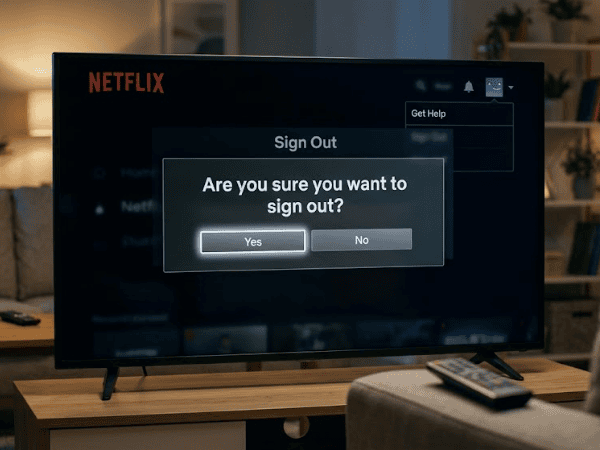
If you’re trying to log out of Netflix on most smart TVs, you simply need to open Netflix and navigate to its main menu. Next, click on your profile icon or scroll down to the bottom of the left menu and choose Get Help, then Sign Out, and hit Yes. Logging out of Netflix looks easy enough until you’re faced with the TV interface and no logout button is easily identifiable. The Netflix menu may slightly vary according to your smart TV, streaming device, the version of the app used, and the interface. However, Netflix currently utilizes a similar sign-out procedure for various televisions and TV-connected devices supported by Netflix. If all else fails, you also have another alternative in 2026 in case you’ve logged into Netflix from the hotel TV or if you have sold your streaming device or don’t have access to the television anymore – you can remotely log out of each device via Manage Access and Devices. This article discusses both procedures and others related to Roku, Samsung TV, Google TV, troubleshooting, and account security. What Does Logging Out of Netflix Do? Signing out removes your Netflix account from that TV or streaming device. It doesn’t cancel your subscription or delete your account. It does not mean you unsubscribe from Netflix, nor does it erase your Netflix account. Your account is still accessible, and you can log into it on that device anytime in the future. The importance of this comes in when you are using Netflix temporarily. Say, for instance, you logged into Netflix on a hotel TV during a vacation trip; signing out means that the next person won’t be able to access Netflix using your account. This rule also applies when you want to sell, give away, or dispose of a smart TV or streaming device. Netflix advises logging out of Netflix accounts and other services if you are disposing of a used device. How Do You Log Out of Netflix on a Smart TV? The current steps for Netflix are pretty simple for supported smart TVs. Begin from the Netflix home screen and hit the Back button on the remote to bring up the menu. It all depends on the version of the Netflix interface you have. If the menu shows up at the top of the screen, swipe left to your profile icon and select Get Help and then Sign Out. If the menu appears on the left-hand side, scroll down to select Get Help -> Sign Out. Netflix will ask if you want to sign out. Say yes. In brief: Netflix -> Menu -> Get Help -> Sign Out -> Yes However, if there is no Get Help option, Netflix suggests finding Settings. Please remember that logging out and closing the app are different actions. Going back to your TV home screen or using other applications does not mean you log out of the Netflix account from that TV. Protect Your Account Before Leaving a Shared TV When you are watching Netflix on a hotel television or any other television that may be used by more than one person, remember to log out. This is simple to do, and all you are doing is ensuring that nobody else is able to keep watching your account on that particular device. But if you have already checked out, don’t worry. We will show you how to remove that device from your account remotely below. How Do You Log Out When Sign Out Is Missing? In some cases, you may not be able to locate the Get Help, Settings, or Sign Out options in the Netflix TV app. Netflix provides instructions for using the remote control in a certain manner to display the menu, which will include options such as Sign Out, Start Over, Reset, or Deactivate on supported TVs. Using the directional arrows on the remote control, do: Up → Up → Down → Down → Left → Right → Left → Right → Up → Up → Up → Up Once the menu pops up, select the relevant Sign Out or Deactivate option. It’s important to note that this is not some kind of secret trick that nobody should know about. Netflix itself mentions this sequence in its support documentation. However, this should never be used in the first place if you have access to the regular Sign Out via Get Help option. How Do You Log Out of Netflix on Roku? It depends on the Roku model. Most modern Roku devices will require that you open your Netflix home screen and click Back on the Roku remote. If your Netflix menu is located at the top, you should head to your profile icon and click: Get Help → Sign Out → Yes Or, if your Netflix menu is displayed at the bottom, click: Get Help → Sign Out → Yes In case the Get Help option is not there, click Settings. Netflix gives different instructions for the older Roku 2 model. In this case, you should click the Roku Home menu, select Netflix, press the Star button, and click Remove channel. Netflix states that removing this channel turns off your device from the Netflix service, and you can download it again from the Roku channel store. Since Roku models are not identical, do not remove the Netflix application automatically on a modern Roku if the sign-out option works properly. How Do You Log Out of Netflix on Samsung TV? Currently, the steps to sign out from a Samsung TV on Netflix are quite similar. First, from the Netflix main screen, press Back until you get to the Netflix menu screen. If your menu screen is displayed from the top, use the arrows and navigate to your profile symbol, then select the following options: Get Help -> Sign Out -> Yes If your menu is displayed from the left side of the screen, scroll to the bottom of the screen and select Get Help first and then Sign Out. If

Zabasearch is a free people search engine that scours freely accessible public information and records to locate someone based on their name or phone number.The site displays elementary public information like names, rough ages and addresses – assembled from publicly available sources of data.If you want to scrub your own data, you can file a request via PeopleConnect’s Suppression Center, which handles removals for Zabasearch, as well as other sites like Intelius and USSearch. Zabasearch is still one of the easiest free people search engines to find people plus lots of other pubic information. Whether you need to reconnect with an old classmate, verify someone’s business address or identity, or do a quick check on an unknown individual they give easy and free access to basic personal details. This is convenient, but it can also impact user privacy since much of this information is available online without permission. Here’s what the guide covers: unitOfWorkGuard/ Getty Images Article Continues Below Whether your have an account connected with your email, use social media or post comments on a website, chances are you end up in a directory somewhere – that is another place where we show. What Is Zabasearch? Zabasearch is a people search and public information aggregator that gathers information from government, commercial, and marketing databases. It does not generate original content, nor does it host any; instead, it is designed to serve as an information aggregator already publicly available through outlets such as: While this data is legal to find and display due to U.S. public records laws, it might contain info you didn’t know was in the public realm – like past addresses or linked phone numbers. Zabasearch’s parent company, PeopleConnect, also owns Intelius, USSearch and TruthFinder – sites with similar data networks. How to Search by Name in Zabasearch You’ll be presented with a list of results that includes the person’s name, approximate age and partial or complete address.To narrow down the search site a little, it is possible to use filters in by city or age range. How to Perform a Phone Lookup by Number This is useful for looking up unknown callers and verifying contacts. Narrowing and Refining Results Zabasearch could turn up multiple listings for the same name, particularly if the name is common. To identify the correct person: How to Get Off a Zabasearch If you want to opt out or suppress your data, here’s the official way to do that (as of 2025): After the request for removal has been processed, your information will be deleted from Zabasearch and our partner sites (including: Intelius, US Search, and TruthFinder). How Zabasearch Collects Information Zabasearch aggregates information from the following sources via a combination of auto-crawling, public feeds, and commercial data relationships: This consolidation process is legal in the United States, as few restrictions exist on collecting or selling personal data – even though its values and practices are hotly debated. Responsible Use and Privacy Tips Zabasearch is a powerful tool – but be sure to use it responsibly and ethically: By doing a few simple things, you can be confident that you are using people-search tools responsibly and legally. Final Thoughts Zabasearch is still an easy, quick and free tool to search for people using publicly available information – as well as a reminder that your personal information online isn’t always necessarily private. Be responsible with Zabasearch The bottom line is: Use it responsibly, like everything else.If you’re worried about your digital footprint in general, consider making use of opt-out tools and data-removal services that are available now. Frequently Asked Questions (FAQ) Q1: What other ways can I track people online? And do the same on Whitepages, TruePeopleSearch, Spokeo and FastPeopleSearch – they all draw from similar databases.For professional purposes, you could try LinkedIn or BeenVerified. Q2: Is Zabasearch safe to use? Yes, it’s real and safe in a technical sense – it does not have malware on it, and operates legally with U.S. public record laws.But it does compromise personal information, so treat that data with care. Q3: How long does removal take? Most removals are processed in 1 to 3 business days, though complete removal from all PeopleConnect-related sites may take up to a week. Q4: Why did my removal not last? Zabasearch carries out periodic though re-indexing of information from new public records. If your name, address or phone number shows up again you can submit a new suppression request. Q5: Does Zabasearch charge for searches? There are free basic searches, but reports include in-depth background data and contact information, available for a small fee, that is processed by Intelius. Louis MuganLouis Mugan is a seasoned technology writer with a talent for turning complicated ideas into clear, practical guidance. He focuses on helping everyday readers stay confident in a world where tech moves fast. His style is approachable, steady, and built on real understanding. He has spent years writing for platforms like EasyTechLife, where he covers gadgets, software, digital trends, and everyday tech solutions. His articles focus on clarity, real-world usefulness, and helping people understand how technology actually fits into their lives. Outside of his regular columns, Louis explores emerging tools, reviews products, and experiments with new tech so his readers don’t have to. His steady, friendly approach has made him a reliable voice for anyone trying to keep up with modern technology. get in touch at louismugan@gmail.com

The Bombastic Mob That Personifies the Game A Creeper on Minecraft is a hostile mob which silently approaches players and explodes, giving off an impactful force. It spawns in darkness or at night and, when struck by lightning, turns into a Charged Creeper – a rare supercharged variant with twice the blast power. If you’ve ever played Mandecraft, you are familiar with what’s likely its most notorious antagonist – the Creeper. It’s green and it’s silent and single-minded: silently creep up, hiss, then explode. In the decade since it was created by accident in 2009, the Creeper has emerged as one of gaming’s most potent icons – a mascot for both the risk and unpredictability that make Minecraft beloved. In this article, we’ll cover everything they’re made of and more, from their bizarre origin story to how they act, how you can fight back and even what scares them most. The Backstory: Creepers Began as Bugs The Creeper was not supposed to exist. During the early alpha days of Minecraft, developer Markus “Notch” Persson was writing up a pig model and confused height with length.accidentally,”lets swap those around. The result? A tall, lean animal with short legs – nothing of a pig. Rather than delete it, Notch turned it into a new mob with a green texture, droopy frown and an explosive payload – and the rest is history. Creepers were introduced at some point around September 1, 2009, during Minecraft’s survival test builds — and they’ve been keeping players on edge ever since. Creeper Biology: What They Do in the Game Creepers spawn on solid blocks in the Overworld (possibly with the exception of netherbrick, quartz block and redstone lamp during low light levels) at a light level lower than 8, or more rarely in no higher than a full moon (light level 7). They are most commonly found at nighttime or in unlit caves. They roam around aimlessly during the day until a player approaches within 16 blocks. When a player comes within 3 blocks, the Creeper begins its fuse of 1.5 seconds and quickly hisses before exploding. Pro Tip: If you hear that hiss – it’s time to sprint away or raise a shield. The explosion can quickly pulverize surrounding blocks and cripple you even if you’re wearing armor. If lighting strikes within 4 blocks of the creeper, it will convert into a Charged Creeper with a glowing blue effect around its body. Its blast radius spreads twice as much (6 to 3), which is about the most terrible power that could be in existence in the game. While Notch has a sly sense of humor about his creations (when asked what Creepers would feel like, he once deadpanned, “Crunchy, like dry leaves”), their biology truly remains unknown – and that mysterious spookiness is part of their mystique. How to Defeat a Creeper Melee Combat Punch the Creeper with a sword and then back away before it even has time to explode. Rinse (and hit back) and repeat until it drops. Sharpness and Knockback enchantments are your dear friend. Ranged Combat Best choice is a bow and cross bow. Shoot Creepers from range with fire arrows to eliminate them before they come close. In the latter stages, tridents enchanted with Loyalty or Channeling would work just as well. Environmental Traps Slow a Creepers movement down with water, cobwebs or fences to safely time a kill. It also extinguishes explosion damage to you and the terrain. Drops and Rewards Regular Creeper: Drops 0 – 2 gunpowder (Looting can increase the amount dropped).Music Disc: Drops when Creeper is killed by a Skeleton arrow.Creeper Head: Only dropped if killed by explosion of a Charged Creeper. Did You Know: A short-range Creeper explosion can cause 49 damage (24.5 hearts) of harm on Hard – more than enough to instantly kill an unarmored player. Charged Creepers: The Supercharged Threat When lightning strikes a Creeper, the end result is a Charged Creeper – it’s explosion strength increases approximately twofold and it will sparkle with bright blue electric shocks around the area. Despite the inability of their blast to destroy obsidian or bedrock, stone, dirt, wood and even the most heavily armored mobs can be obliterated by one. With this in mind, ranged combat is your safest boon. Coming into physical contact with a Charged Creeper is practically suicide, unless you’re wearing a full set of Netherite armor enchanted with Blast Protection. Creepers Are Secretly Afraid of Cats and Ocelots For all their terrifyingness, Creepers too have one absurd weakness – cats. In Java and Bedrock editions, Creepers will run away from ocelots or cats within the range of 6 blocks (not 30 as previously believed), and they will explode themselves instead of fleeing. Which makes a docile cat the ideal mobile defense unit. Having cats around your base not only steers Creepers away but also provides you with adorable nighttime companionship. The Symbolism of the Creeper Creepers are more than just a game mechanic – they’re also an allegory for Minecraft itself: unexpected, dynamic and the living embodiment of creative chaos. They instill lessons in players about caution and adaptability, as well as humility to the dangers of environment – because one wrong step will undo your progress. There are few more instantly recognizable and bizarrely beloved creatures in all of video gaming history. The “sssss … BOOM!” a kind of unofficial ambience track for Minecraft – a sui generis blend of tension and nostalgia. Conclusion Few mobs in gaming’s history will ever loom as large or strike fear into the heart of players like the Minecraft Creeper – a mistake that today has become one of the most iconic symbols in game culture. Be you farming gunpowder or struggling just to survive the night, being familiar with Creeper behavior and how to respond – could be the difference between victory and soot. So when you hear that little hiss behind you next time, run, block or let your cat take care

Your Everything Guide to Subscriptions or Logging In With Cable, Bundle and Add-Ons Here are three ways to get HBO Max: As of 2025, all old Max accounts have migrated back to HBO Max. Warner Bros., after (two years as Max) The first two seasons, 2006–8=Integer( (a year after uploading the speech to YouTube). Discovery officially relaunched the service as HBO Max in mid-2025. The move would reintroduce the HBO name while keeping Discovery+ content under a single streaming roof. Whether you are a cable holdout or just signing up fresh as a streaming subscriber, there are multiple ways to get HBO Max. You’ll find step-by-step procedures for each choice below, accompanied by the devices supported and the current pricing information as of 2025. HBO Max With a Cable Subscription If you have an HBO subscription through a cable or satellite company, you can watch it on HBO Max instead at no extra cost.If you subscribe to HBO via a participating provider, then you should have access to HBO Max. Simply get out your account 1x and streaming is unlimited! Steps to Activate: Pro Tip: Save your provider credentials just in case you have to switch devices or if you receive an error with a sign-in. Subscribe to HBO Max on Its Own (Standalone Plan) If you don’t have cable, sign up for HBO Max as a stand-alone service. Steps to Subscribe: Current U.S. Plans (October 2025): Pro Tip: Annual plans are approximately 16% cheaper and carve prices in for a year. Subscribe to HBO Max Through the Following Bundles and Streaming Services a. Hulu, YouTube TV, and Other Streaming Services Hulu and YouTube TV provide HBO Max as a premium add-on for an additional cost.YouTube TV’s Entertainment Plus bundle includes HBO Max, Starz, and Paramount+ with Showtime. To activate:In your Hulu or YouTube TV account settings, add HBO Max (the company will still call it an “add-on”) and sign in using those credentials on the HBO Max app. Note: Some plans restrict HD/4K quality based on tier, so look for which version of HBO Max is included with your service. b. Disney+, Hulu, and HBO Max Bundle Another option is to get the Disney+ Bundle With Hulu and Ad-Free ESPN+.There’s also a three-in-one Disney+, Hulu, and HBO Max bundle through Disney, available in With Ads or Ad-Free options. Current Disney+ or Hulu subscribers can switch to the bundle via their account settings.The bundle is a budget-friendly option for families or those with varied tastes and can be purchased directly through Disney. What the Hell Just Happened to Max and HBO Max? The Timeline: If you were already using the Max app, it would update automatically to the latest HBO Max version with no loss of login data or profiles. No manual migration is required. Supported Devices (2025) Smart TVs & Streaming Devices Gaming Consoles Mobile Devices Web Browsers Casting & Connections Pro Tip: For highest streaming quality, use wired Ethernet and 4K playback with Wi-Fi 6 routers. Conclusion It’s easier than ever to get HBO Max in 2025 – whether you’re going through your cable company, tapping into a free subscription, signing up directly on the web, or pairing it with Disney+ or Hulu. HBO’s beloved originals can now be found in the same service as Discovery+ lifestyle content, streaming sports, and documentaries under one trusted brand.Visit HBO Max.com to pick your plan and begin viewing right now. FAQs Q1. Is HBO Max the same as Max? Yes and no, they are the same streaming service with the same library of content. It was renamed Max in 2023 and then returned to the HBO Max branding in 2025. Q2. Is HBO Max included with my cable HBO subscription? Yes, if you subscribe on TV through one of the supported cable providers such as Spectrum, Cox, DirecTV, or Xfinity. Q3. Do I have to download a new app following the rebrand? No. Your current Max app automatically updates to the new HBO Max version, keeping your account and profiles intact. Q4. What is the price of HBO Max in 2025? Pricing begins at $9.99/month (With Ads) and goes up to $20.99/month (Premium 4K). Annual plans save about 16%. Q5. Can I share my HBO Max account? Yes, depending on your plan. Ad-Free and Premium options allow for multiple profiles and simultaneous streams (up to four on Premium). Louis MuganLouis Mugan is a seasoned technology writer with a talent for turning complicated ideas into clear, practical guidance. He focuses on helping everyday readers stay confident in a world where tech moves fast. His style is approachable, steady, and built on real understanding. He has spent years writing for platforms like EasyTechLife, where he covers gadgets, software, digital trends, and everyday tech solutions. His articles focus on clarity, real-world usefulness, and helping people understand how technology actually fits into their lives. Outside of his regular columns, Louis explores emerging tools, reviews products, and experiments with new tech so his readers don’t have to. His steady, friendly approach has made him a reliable voice for anyone trying to keep up with modern technology. get in touch at louismugan@gmail.com

To begin using X (previously known as Twitter), visit the official website or download its app and click Sign Up. Typing your name, email or phone number and date of birth and verify the account. Create a strong password, upload a profile picture, include some info about yourself and select an interesting username (handle). Once you have your profile, you can tweet, follow accounts and personalize your feed in no time. X (formerly known as Twitter), is the pulse of the world, demonstrating opinion in real-time over events and news. Whether you’re signing up to follow breaking news, establish your own perception of events, or simply connect with like-minded users, it takes less time than you might think. In this guide, you’ll discover how to set up your X account, customize your profile, send your first tweet and determine how you might want to use the platform – all in 15 minutes or less. Step 1: Sign Up for X Step 2: Select or Change Your Username Your username (or handle) is in the form of an @ and, being unique on X, can be generated using auto-reply however it’s easily changeable: An easily recallable username makes it simple for your followers to find and tag you. Keep it short and relevant – ideally, as close to your real name or your brand’s name. Step 3: Complete Your Profile Your profile is akin to your public identity on X, the place where users decide whether or not to follow you – so keep it professional and real. Pro Tip: If you’re using X for business or branding yourself personally, add some keywords to your bio (e.g., “Tech Journalist”, “Digital Marketer,”) so that people looking for you will find your Account easily. Step 4: Send Your First Tweet Now that your profile is up, it’s going to be time to start tweeting! Your second tweet could be a welcome message:“Hello, X world! Looking forward to start exchanging ideas and networking here.” Even if you’re not a follower, every tweet is visible on that person’s profile and discoverable via hashtags or search. Step 5: Explore and Engage After you have created an account, begin to explore what makes X unique: The more you do, the better X’s algorithm gets to know your interests and customizes your home feed accordingly. Step 6: How to Use X? Your experience will vary based on your objective: Maintain Real, Cohesive, and Audience-Appropriate VoiceYour voice should be real – necessarily all your readers will adore it, but there are likely to be plenty who do. X incentivizes the accounts that post often and interact in a meaningful way. Pro Tips for Success on X Conclusion Whether you’re just trying it out or are a more experienced user, setting up and using X (formerly Twitter) is quick, easy and rewarding. You are a little more than 15 minutes away from setting up your profile and joining others in the global conversation. Whether you’re a player, a fan, someone who loves online challenges or matchmaking, it offers the entire world as your stage to share your voice one tweet at a time. FAQ Section Q1: Must I use my real name on X? No, but a recognizable handle does make it easier for people to find and trust your account – especially if you’re an individual or brand. Q2: Can I use X post-free? Yes. A lot of people use X only to consume news, stay in the loop with trends and conversations without tweeting themselves. Q3: How can I set my X account to private? Visit Settings → Privacy and safety → Audience and tagging and toggle the switch for Protect your posts. Only people you allow to follow you will see your tweets. Q4: Is X free to use? Yes. X is free, but premium features like X Premium (formerly Twitter Blue) provide additional goodies, including longer posts and editing tools. Q5: Can I schedule tweets? Yes. X also has a web version of its app that offers the ability to schedule and share tweets, or you can use a third-party service like Buffer or Hootsuite. Louis MuganLouis Mugan is a seasoned technology writer with a talent for turning complicated ideas into clear, practical guidance. He focuses on helping everyday readers stay confident in a world where tech moves fast. His style is approachable, steady, and built on real understanding. He has spent years writing for platforms like EasyTechLife, where he covers gadgets, software, digital trends, and everyday tech solutions. His articles focus on clarity, real-world usefulness, and helping people understand how technology actually fits into their lives. Outside of his regular columns, Louis explores emerging tools, reviews products, and experiments with new tech so his readers don’t have to. His steady, friendly approach has made him a reliable voice for anyone trying to keep up with modern technology. get in touch at louismugan@gmail.com

Facebook is a global social networking website that was launched in February 2004 by Mark Zuckerberg and his Massachusetts Institute of Technology (MIT) roommates, Eduardo Saverin, Andrew McCollum, Dustin Moskovitz, and Chris Hughes. Users can post updates, share photos and videos, join groups, stream live videos, and follow pages of friends, family members or companies. By the half of 2025, Facebook has over 3 billion worldwide monthly active users and one of the most powerful social media platforms. It provides users with entertainment, community, and marketing opportunities while empowering them to manage their online impersonations through privacy settings. Today, social media is the heart of how we connect with people, share experiences and tell our stories. And at the center of that change is Facebook, the largest social networking platform in human history. From this humble Harvard campus project to empire dictating new rules in communication and marketing, online communities have changed the way. This article will explain what Facebook is and how it began, why people sign up for the site, and all its different features that make two billion users stick to it. What Is Facebook? An introduction to Facebook: what it is, how you can connect with people, how to make and manage your account. Facebook is a social media site where users join communities based on common interests. So what do you need? How-tick: In this age everyone focused to make their life as easy as possible. Things You Can Do on Facebook: Users can share content publicly, with friends or with private groups. Customizable privacy settings means that users have a lot of control over who sees their content. The Origins of Facebook Key Reasons for Early Success: Why People Like Facebook Accessibility for All Users of all ages sign up easily and the interface is everyday friendly. Personal Connections Originally created to reconnect with friends, it has also become something of the family, class, or work reunion. Entertainment & Sharing Users share updates, photos, videos, and reactions — offering a daily stop that many make. Business & Marketing Power Businesses advertise to targeted demographics via Meta Ad Manager, and Facebook takes the lead in the digital marketing landscape. Community Building People use Groups, Pages, and Events to meet others who share hobbies, interests, professional networks, or local communities. Key Features of Facebook Getting Started With Facebook With billions of people worldwide, Facebook is one of the most inclusive digital communities. Conclusion From being founded at Harvard to becoming part of Meta’s ecosystem (with Instagram, WhatsApp, and Threads), Facebook remains one of the foundations of digital communication. Once a basic networking site, it’s now a hub for personal connections, entertainment, commerce, and marketing. Whether you join to reconnect with family, grow a business, or participate in communities, Facebook continues its mission of bringing the world closer together. FAQs About Facebook Q1. What is Facebook Jail? “Facebook Jail” refers to temporary restrictions Meta imposes on users who violate Community Standards. It could restrict posting, commenting, or liking. Repeat offenses may lead to a permanent ban. Q2. What is Facebook Lite? Facebook Lite is an official Facebook client that lets you use the social network through a much lighter app. It uses less storage, battery, and data, making it suitable for older phones or slower internet connections. Q3. What does Restricted Friend on Facebook mean? Restricted friends only see posts you tag them in or that you mark as Public. This helps maintain privacy while staying connected. Q4. Is Facebook Safe to Use? Facebook offers privacy controls, two-factor authentication, and reporting mechanisms. However, users should remain cautious of scams, misinformation, and oversharing. Q5. Can Businesses Benefit from Facebook? Yes. Businesses can reach customers, build brand awareness, and generate sales using Pages, Ads, Marketplace, and Shops. Louis MuganLouis Mugan is a seasoned technology writer with a talent for turning complicated ideas into clear, practical guidance. He focuses on helping everyday readers stay confident in a world where tech moves fast. His style is approachable, steady, and built on real understanding. He has spent years writing for platforms like EasyTechLife, where he covers gadgets, software, digital trends, and everyday tech solutions. His articles focus on clarity, real-world usefulness, and helping people understand how technology actually fits into their lives. Outside of his regular columns, Louis explores emerging tools, reviews products, and experiments with new tech so his readers don’t have to. His steady, friendly approach has made him a reliable voice for anyone trying to keep up with modern technology. get in touch at louismugan@gmail.com
Yes, you can watch full length movies on YouTube for free. YouTube has a curated collection of ad-supported movies across categories including comedy, action, classics, documentaries and horror. Those titles are offered through “Free to Watch” on YouTube Movies & TV and are all 100% free and legally licensed. With ads, yes – but unless you subscribe to YouTube Premium (more on that below), it’s a small price to pay for free access to popular and classic movies. Most of us think of YouTube as the planet’s biggest clearinghouse for short videos, music clips and live streams. But what many don’t know is that YouTube also has a growing collection of full-length movies and TV shows for rent or even, in some cases, available free and supported by ads. Whether you’re looking for a family comedy, an action-adventure film or an inspiring documentary, you’ll have no trouble finding something to watch on YouTube – without paying anything at all. Here’s a guide to finding free movies on YouTube which also explains how the service works and offers advice for getting the best viewing experience. YouTube’s Free Movies Library YouTube partners with film distributors and studios to offer a rotating selection of free, ad-supported movies. Unlike pirated uploads, these movies are licensed, legal and safe to watch. Where to Stream Free Movies on YouTube 1. Movies & TV Page Go to the official Movies & TV category on YouTube. In addition to rentals and purchases, you’ll encounter a “Free to Watch” section highlighting films that are available for instant streaming at no cost. 2. Official Movie Channels There are several trusted channels that offer free movies, such as: 3. Filtered Search Use YouTube’s search filters: When you see the “Free with Ads” label, you can watch instantly without paying a rental fee. Free TV Shows on YouTube You Can Watch YouTube has full episodes of TV shows, too, but they are not as organized as movies. You can find them by: Note: There are also YouTube Primetime Channels, but those usually require a paid subscription (e.g., Paramount+, AMC+). Free shows are typically posted individually. Video Quality Options YouTube movies can be streamed in varying resolutions: You can adjust video quality in the gear settings icon of the video player. What Do I Need to Use YouTube? Most free movies don’t require you to have an account. However, signing in offers benefits: You’re up and running in two minutes because YouTube accounts are connected to Google accounts – sign-up is fast and free. Where YouTube Gets Its Movies YouTube partners with licensed distributors and studios. Examples include: Since licensing deals change, movies are added and removed regularly. Unofficial uploads are often taken down due to copyright regulations, so you’ll want to stick with official “Free to Watch” content. System Requirements for Streaming For smooth playback, you’ll need: The YouTube app for Android and iOS has long supported free movies, though with a less “movie-focused” look compared to dedicated streaming apps. Advantages of Watching Films on YouTube Free and 100% legal – no costly subscription neededWatch anywhere, anytime – phones, tablets, PCs, or smart TVsFrequent catalog updates – new movies added oftenHigh-quality streaming – many titles in HD and 4KWorks worldwide – though regional variations may apply Conclusion YouTube is no longer just a place to watch short videos – it’s also a legitimate free movie website. Through curated lists, official movie channels, and a sizable catalog of ad-supported films, you can watch Hollywood hits, indie gems, and timeless classics for free. All you need is an internet connection and a screen – and it’s your movie night. FAQ: Watching Movies on YouTube Q1: Are YouTube free movies legal? Yes. Movies in YouTube’s “Free to Watch” section are licensed for free distribution by third parties. Q2: Do I need YouTube Premium to watch movies for free? No. Free movies are ad-supported. Premium only removes ads and enables downloads. Q3: Why do films come and go from YouTube? Licensing agreements change, so some titles expire. Q4: Can I download some free movies to watch offline? Yes, but only with a YouTube Premium subscription. Free users cannot download them. Q5: Are free movies available worldwide? Not always. Availability depends on distribution rights in your region. Louis MuganLouis Mugan is a seasoned technology writer with a talent for turning complicated ideas into clear, practical guidance. He focuses on helping everyday readers stay confident in a world where tech moves fast. His style is approachable, steady, and built on real understanding. He has spent years writing for platforms like EasyTechLife, where he covers gadgets, software, digital trends, and everyday tech solutions. His articles focus on clarity, real-world usefulness, and helping people understand how technology actually fits into their lives. Outside of his regular columns, Louis explores emerging tools, reviews products, and experiments with new tech so his readers don’t have to. His steady, friendly approach has made him a reliable voice for anyone trying to keep up with modern technology. get in touch at louismugan@gmail.com

Facebook Lite is a limited version of Facebook’s app for Android. It’s designed to take up less storage and less battery, and work better on slower or spotty networks. It keeps the essential Facebook experience (News Feed, posting, reaction, messaging, stories), but leaves out many of the heavier features. Note: Facebook Lite for iOS is no longer available. For many people that’s not a high-end smartphone with an unlimited data plan. For those in areas with weak network service, or for users who wish to conserve battery and data life on their devices, Facebook Lite provides an economical alternative to the full app. Its goal is to enable people to stay socially connected without hogging their phone or consuming unnecessary mobile data. What Is Facebook Lite? Facebook Lite is a “lighter” version of Facebook’s mobile app for Android. It has “less mobile data and takes up less space,” but it also offers the main functions of Facebook, according to Facebook. Since the app is small, it installs and updates fast, and leaves more space on your phone. Core Features Facebook Lite has most of the features users find in Facebook, such as: However, advanced features like full video streaming, rich animations, and heavy graphical elements may be restricted or slower compared to the standard Facebook app. Facebook Lite vs. Official Facebook App Feature Facebook Lite Standard Facebook App Download size ~2–3 MB APK (official site: 2.99 MB) Tens or hundreds of MB (e.g., ~80 MB) Storage footprint Very small, minimal overhead Much larger, resource-heavy features Data usage Uses less data (compressed images, limited video autoplay) More aggressive (autoplay videos, heavy caching) Battery impact Lower strain due to limited features and background activity More taxing with animations and syncing Network support Works on 2G or weak networks Optimized for 4G/5G and Wi-Fi Interface/Polish Simple, clean, minimal design Sleek, modern, animation-rich Feature parity Core features included; some delayed or excluded First to receive new, advanced features Who Should Use Facebook Lite? Facebook Lite is ideal for: If you own a modern smartphone with lots of storage and a strong internet connection, the standard Facebook app may provide a smoother, more complete experience. How to Download Facebook Lite for Android Because of its small size, installation and updates are fast and use less data compared to the full Facebook app. Conclusion Facebook Lite is a lightweight, battery-friendly alternative to the full Facebook app. It may lack a few advanced features, but it offers all the essentials – News Feed, Stories, Reactions, Messaging – in a compact, efficient package. For users with older devices, limited storage, or weak internet, it’s the best way to stay connected without draining resources. Frequently Asked Questions (FAQ) Q1: Can I change my gender in Facebook Lite? Yes. Go to Profile → Edit Profile → About Info → Gender → Select Option → Save. Q2: How can I delete imported contacts from Facebook Lite? Check Settings → Imported Contacts. Some versions allow Delete All. Menus may differ by version or region. Q3: How do I share posts on Facebook Lite? Tap Share under a post and select where to share (Profile, Story, Group, etc.). You can also share links from your browser via the Facebook Lite app. Q4: Is Facebook Lite safe to use? Yes. It is an official Meta app and receives security updates. Its simpler design may reduce background processes, but it may also lack some advanced security functions found in the full app. Q5: Can I have Facebook Lite and the regular Facebook app on the same device? Yes. They are separate apps with different package names, so you can install and use both. Louis MuganLouis Mugan is a seasoned technology writer with a talent for turning complicated ideas into clear, practical guidance. He focuses on helping everyday readers stay confident in a world where tech moves fast. His style is approachable, steady, and built on real understanding. He has spent years writing for platforms like EasyTechLife, where he covers gadgets, software, digital trends, and everyday tech solutions. His articles focus on clarity, real-world usefulness, and helping people understand how technology actually fits into their lives. Outside of his regular columns, Louis explores emerging tools, reviews products, and experiments with new tech so his readers don’t have to. His steady, friendly approach has made him a reliable voice for anyone trying to keep up with modern technology. get in touch at louismugan@gmail.com