Your iPhone is about to die, there’s no outlet in sight, and your friend’s iPhone is sitting at 80%. Can one iPhone charge the other? If at least one of them is an iPhone 15 or newer, yes. All you need is the right cable.
Quick answer: Connect an iPhone 15 or later to the other iPhone with a USB-C cable (for another USB-C iPhone) or a USB-C to Lightning cable (for an iPhone 14 or older). Charging starts automatically. There’s no setting to turn on, and it only works with a cable. iPhones don’t offer reverse wireless charging for another phone.
Which iPhones can charge another iPhone?
The feature comes from the USB-C port Apple added starting with the iPhone 15. Apple says you can use an iPhone 15 or later to charge AirPods, an Apple Watch or another small device that supports USB Power Delivery, at up to 4.5 watts. Apple doesn’t specifically list “another iPhone” in that support article. Phone-to-phone charging was demonstrated by Marques Brownlee and reported by MacRumors and iDownloadBlog when the iPhone 15 launched.
| Your two iPhones | Can one charge the other? | Cable you need | Which one gives power |
|---|---|---|---|
| Both iPhone 15 or newer (USB-C) | Yes | USB-C to USB-C | Typically the one with more battery |
| iPhone 15 or newer + iPhone 14 or older (Lightning) | Yes | USB-C to Lightning | The USB-C iPhone |
| Both iPhone 14 or older (Lightning) | No | None works | Neither can output power to another phone |
“iPhone 15 or newer” means USB-C models starting with the iPhone 15, including the iPhone 16 and 17 families, iPhone Air, the iPhone 18 Pro models and iPhone Duo. The connector type matters more than the model name. If you’re not sure which port your phone has, look at the bottom edge. A USB-C port is a rounded oval; a Lightning port is thinner and flatter. The Lightning iPhone can still receive power even if its battery is fuller, because it’s the USB-C phone that sends power out.
How to charge an iPhone with another iPhone
- Check the ports. At least one phone must be an iPhone 15 or newer with USB-C.
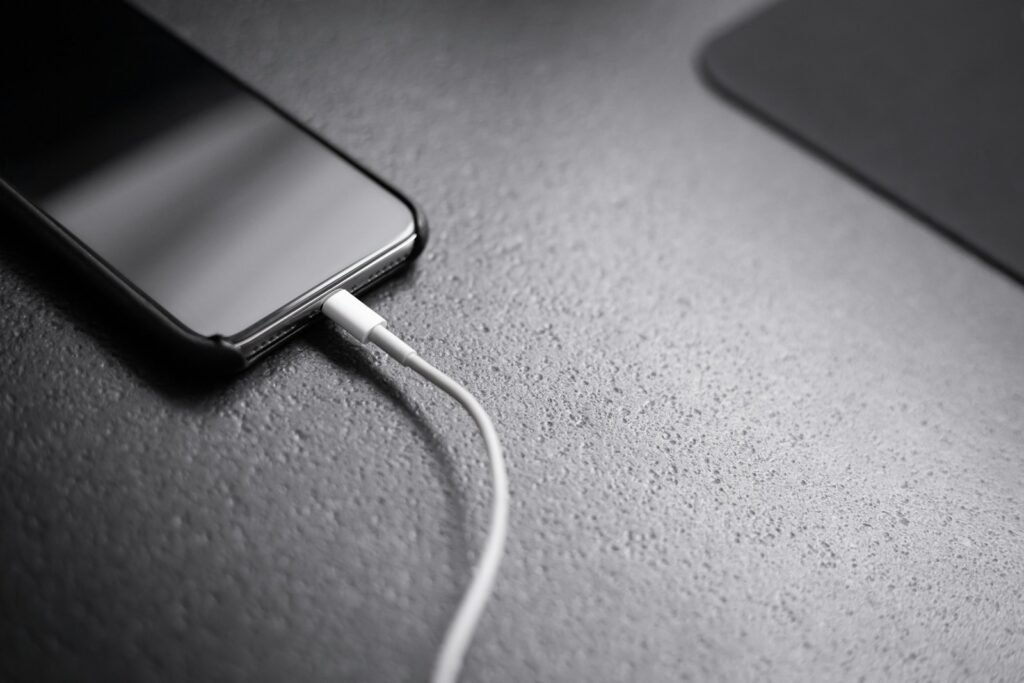
- Grab the right cable. Use a USB-C to USB-C cable if both phones have USB-C, like the one that came in the box. Use a USB-C to Lightning cable if the other phone has Lightning.
- Plug both ends in. Connect the cable to both iPhones.
- Look for the charging icon. The phone receiving power shows the charging symbol in its battery indicator. There’s no menu, toggle or “battery sharing mode” to turn on.
- Unplug when you have enough. Disconnect once the receiving phone has enough charge to get by, so you don’t drain the giving phone too far.
Which iPhone supplies the power?
Which iPhone supplies power depends on the connection, and there’s no iPhone setting to choose the direction manually.
- Two USB-C iPhones: When MacRumors covered Marques Brownlee’s demonstration, it reported that the two phones communicate, figure out which one has less battery, and the fuller phone charges the emptier one. Reported demonstrations show this behavior, although it shouldn’t be assumed to work identically with every USB-C pairing.
- A USB-C iPhone and a Lightning iPhone: The USB-C iPhone always supplies the power, because the older phone’s Lightning port can’t send power out. In iDownloadBlog’s hands-on test, an iPhone 15 Pro Max at 27% charged an iPhone 11 at 69%, so the USB-C phone gives power even when it has less battery.
So if your friend has the iPhone 15 and you have an iPhone 13, their phone is the “power bank,” whatever the percentages say.
How fast is iPhone-to-iPhone charging?
Slow. Apple says the iPhone’s USB-C port supplies up to 4.5 watts to other devices. That’s a maximum output, not a guaranteed charging rate, and it’s much less power than a typical 20W USB-C wall adapter can supply. Think of it as an emergency top-up, not a full recharge. If you regularly need more, a portable power bank is the better tool.
It’s also not an even trade. Some energy is lost as heat whenever power moves between batteries, so the giving phone loses more battery than the receiving phone gains. If both phones need to last the rest of the day, share just enough to get the low phone through the next few hours.
Can you wirelessly charge an iPhone with another iPhone?
No. iPhones don’t offer reverse wireless charging for another phone, so placing one iPhone on the back of another won’t charge it, even with MagSafe. MagSafe charges power into an iPhone; it doesn’t send power out to another phone. The iPhone’s only way to share power is through its USB-C port with a cable.
You may see the old MagSafe Battery Pack mentioned in this context. That was a separate accessory, not iPhone-to-iPhone charging, and MacRumors reports Apple discontinued it in 2023.
What else can your iPhone charge?
The same 4.5-watt output works for other small gadgets:
- AirPods: Use a USB-C cable for USB-C AirPods cases, or a USB-C to Lightning cable for older Lightning cases.
- Apple Watch: Connect the Apple Watch Magnetic Fast Charger to USB-C Cable directly to your iPhone, according to Apple.
- Other small devices that charge over USB-C and support USB Power Delivery, such as some earbuds and accessories.
Apple’s documentation is framed around small devices. Larger gadgets that need a lot of power will charge very slowly, if at all.
What to do if iPhone-to-iPhone charging isn’t working
- Check that one phone has USB-C. Two Lightning iPhones can’t share power.
- Try a different cable. Use an undamaged, standards-compliant cable. The USB-C cable that came with your iPhone 15 or later is a good choice.
- Check the ports. Make sure both connectors are fully seated. Look for visible debris, but don’t insert metal objects or liquids to clean the port. If either iPhone shows a liquid-detection alert, disconnect the cable and follow Apple’s liquid-detection guidance before trying again.
- Check the charging indicator on both phones. With two USB-C iPhones, the phone with less battery typically receives power. If both are close, the direction may not be what you expect. No charging icon at all usually points to the cable, a port or the connection itself.
- Look for an accessory alert. If an iPhone shows a message that the accessory isn’t supported, try another cable.
- Reconnect and restart once. Unplug both ends, reconnect the cable and try restarting the phones once. If it still fails with another compatible cable, use a wall charger or power bank instead.
If your iPhone is draining fast in the first place, our guide to stopping fast battery drain on iPhone and Android can help you avoid needing a rescue charge.
Frequently asked questions
Can I reverse charge an iPhone to another iPhone?
Yes, with a cable, as long as at least one phone is an iPhone 15 or newer. Connect them with a USB-C or USB-C to Lightning cable and charging starts automatically.
How do I turn on battery sharing mode on my iPhone?
There isn’t one. iPhones don’t have a battery sharing setting. Sharing power works automatically as soon as you connect a USB-C iPhone to another device with a compatible cable.
Can I wirelessly charge an iPhone with another iPhone?
No. Phone-to-phone power sharing only works through the USB-C port with a cable.
Can an iPhone 14 or older charge another iPhone?
No. iPhones with a Lightning port can receive power, but they can’t charge another phone. You need an iPhone 15 or newer on the giving end.
Can I charge an Android phone with my iPhone?
Often, yes. Connect an Android phone with USB-C to an iPhone 15 or later using a compatible USB-C cable. Which phone supplies power can depend on the Android model and its USB Power Delivery support. Some Android phones let you change the charging direction in their USB connection settings.
Does charging another phone hurt my iPhone’s battery?
Occasional wired power sharing isn’t known to cause unusual battery damage, but it drains the supplying phone and can generate some heat. As with ordinary use, repeated discharging and recharging contribute to long-term battery wear. The immediate drawback is having less charge left for your own phone.
How we researched this guide
We based this guide on Apple’s support articles on charging and connecting with the iPhone’s USB-C connector and liquid-detection alerts, along with reporting from MacRumors and iDownloadBlog’s hands-on test. We also reviewed what US searchers ask on Google and Bing. We didn’t run our own charging tests, so we don’t quote charging times.

Louis Mugan is a seasoned technology writer with a talent for turning complicated ideas into clear, practical guidance. He focuses on helping everyday readers stay confident in a world where tech moves fast. His style is approachable, steady, and built on real understanding.
He has spent years writing for platforms like EasyTechLife, where he covers gadgets, software, digital trends, and everyday tech solutions. His articles focus on clarity, real-world usefulness, and helping people understand how technology actually fits into their lives.
Outside of his regular columns, Louis explores emerging tools, reviews products, and experiments with new tech so his readers don’t have to. His steady, friendly approach has made him a reliable voice for anyone trying to keep up with modern technology. get in touch at louismugan@gmail.com