Got an Amazon gift card and not sure where the code goes? Redeeming it takes about a minute. Once you add the card to your account, the money sits in your Amazon gift card balance and is used on your next eligible order.
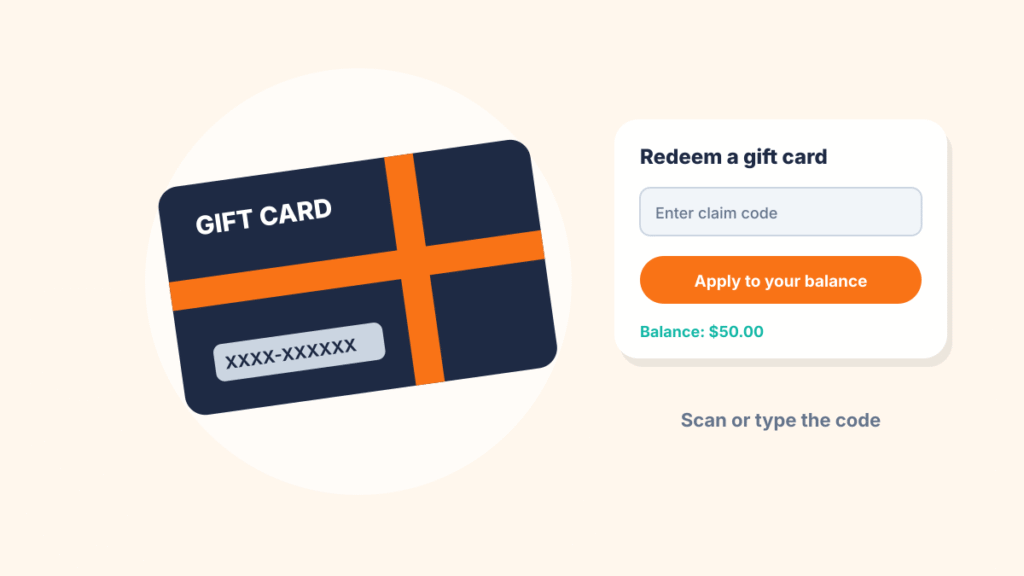
Quick answer: Sign in to Amazon, go to Account & Lists > Gift Cards > Redeem a Gift Card, enter the claim code and select Apply to your balance. In the Amazon app, open your account, tap Gift cards, then Redeem gift card. You can type the code or scan it with your phone’s camera.
Where to find the claim code
The claim code is a mix of letters and numbers, usually 14 or 15 characters long. Where it is depends on the type of card:
- Plastic card: Gently scratch off the silver coating on the back. Use a coin or your fingernail, not a key, so you don’t damage the characters.
- Email gift card: Open the gift card email. It usually has a button that applies the card to your account, plus a claim code you can enter yourself.
- Printed or text gift card: The code is printed on the page or included in the message you received.
If part of the code got scratched away, don’t guess. Contact Amazon customer service with the card and your receipt.
How to redeem an Amazon gift card on a computer
- Go to amazon.com and sign in to the account you want the money in.
- Hover over Account & Lists and choose Gift Cards, or go straight to amazon.com/redeem.
- Select Redeem a Gift Card.
- Type the claim code exactly as it appears. Codes aren’t case sensitive, but each letter and number has to be right.
- Select Apply to your balance.
Your new balance appears on the same page, so you can confirm the amount right away.
How to redeem an Amazon gift card in the app (iPhone or Android)
- Open the Amazon Shopping app and make sure you’re signed in.
- Tap the profile icon, then Your Account.
- Tap Gift cards, then Redeem gift card. The exact spot can move between app updates, so if you don’t see it, search “gift card” in the app’s menu or help area.
- Tap Scan your claim code to read it with the camera, or type it in.
- Tap Apply to your balance.
Scanning works best on plastic cards in good light. If the camera keeps missing it, type the code instead.
How to use your gift card balance at checkout
You don’t have to do anything special. When you check out, Amazon applies your gift card balance to eligible items automatically. If the balance doesn’t cover the whole order, Amazon charges the remaining amount to another payment method on your account.
Want to save the balance for later? On the payment step at checkout, uncheck the option to use your gift card balance before you place the order.
To check what’s left, go to Account & Lists > Gift Cards. You’ll see your current balance and a list of recent gift card activity.
What you can and can’t do with an Amazon gift card
| Question | Answer |
|---|---|
| Does the balance expire? | No. Amazon.com gift card balances don’t expire. |
| Can I move it to another Amazon account? | No. Once a card is redeemed, the balance stays on that account. |
| Can I turn it into cash? | Generally no. Amazon doesn’t let you withdraw a gift card balance or redeem it for cash, except where the law requires it. |
| Can I buy other gift cards with it? | No. Gift cards are one of the items your balance can’t pay for. |
| Can I pay for Prime with it? | Yes, in the US you can use your balance for a Prime membership and many subscriptions. |
| Does it work on Amazon in other countries? | No. A US balance is for amazon.com and can’t be used on Amazon sites in other countries. |
Because a redeemed balance is locked to the account, take a second to make sure you’re signed in to the right one. This matters in homes where family members share a computer or tablet. If you redeemed a card to the wrong account, contact Amazon customer service soon. They may be able to help, but it isn’t guaranteed.
Why your Amazon gift card won’t redeem
If Amazon rejects the code, one of these is usually the reason:
- A typo. Letters like O and Q, or numbers like 0 and 8, are easy to mix up. Re-enter the code slowly.
- It’s already been redeemed. If it was a gift, the sender may have applied it to their own account by mistake, or someone else may have used the code.
- It’s a store-specific card. Cards for other brands, even ones sold on Amazon, can only be used with that brand. Only Amazon.com gift cards work on Amazon.
- The card wasn’t activated. Plastic cards bought in a store are activated at the register. If the cashier didn’t finish the sale, the code won’t work. Take the card and receipt back to the store.
- It was bought for another country. A card from an Amazon site in another country won’t work on amazon.com.
- Your account is under review. Amazon may limit redemptions while it reviews unusual account activity. Customer service can tell you more.
Watch out for gift card scams
Amazon gift cards are for buying things on Amazon. No real government agency, utility company, bank or tech support team will ask you to pay with one. If someone on the phone, in a text or by email asks for gift card numbers, it’s a scam, even if they say they’re from Amazon.
Never share a claim code with anyone, and don’t type it into a “balance checker” site. Anyone who has the code can redeem it first. If you think you’ve been scammed, report it to Amazon right away and to the FTC at ReportFraud.ftc.gov.
Frequently asked questions
How do I use an Amazon gift card as a payment method?
Redeem it to your account first. After that, the balance is applied automatically at checkout. There’s no separate gift card option to pick each time, and you can turn the balance off for a single order on the payment screen.
Can I redeem an Amazon gift card without an account?
No. You need an Amazon account to redeem a gift card. Creating one is free.
How do I redeem an Amazon gift card on my phone?
Open the Amazon app, go to your account, then Gift cards > Redeem gift card. Scan the code with your camera or type it in, then tap Apply to your balance.
Can I check the balance on a card before I redeem it?
Not on your own. Amazon shows a balance only after a card is redeemed. If you need to check a card that hasn’t been used, contact Amazon customer service.
Can I give my Amazon gift card balance to someone else?
No. If you want to give the value to someone, give them the unused card or code before you redeem it. Once it’s on your account, it can’t be moved.
If you use Amazon on a Fire tablet too, see our guide on adding contacts to an Amazon Fire tablet.

Louis Mugan writes how-to and troubleshooting guides for EasyTechLife, covering Android phones, iPhones, laptops, Chromebooks, headphones and everyday software.
He aims to base each guide on official manufacturer documentation and support pages, and to link the sources so readers can check the steps for themselves. Questions or corrections? Use the contact page.