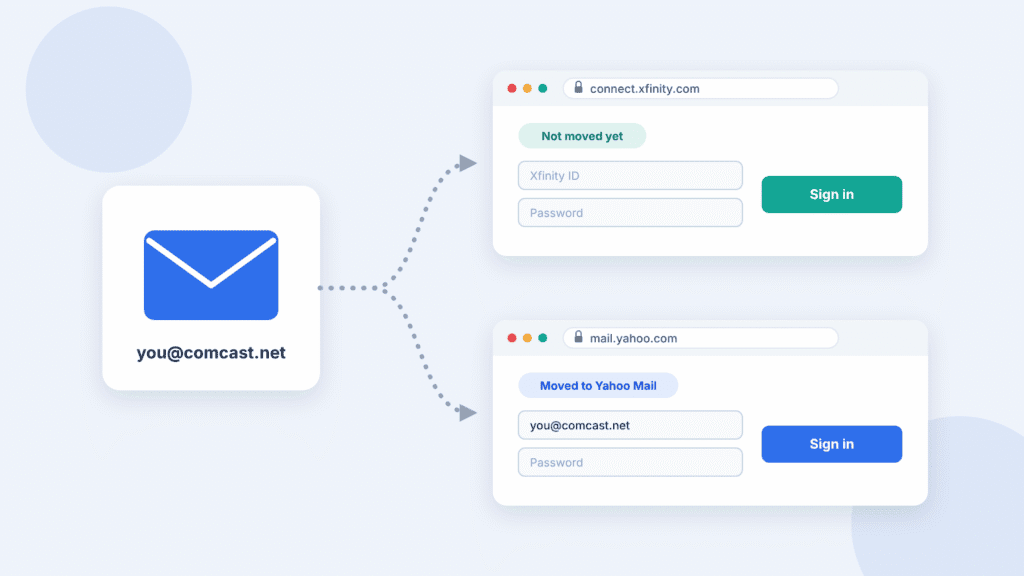
To open your Xfinity or Comcast.net email, sign in at connect.xfinity.com if your account hasn’t moved to Yahoo Mail. If it has, sign in at mail.yahoo.com with your full Comcast.net address. Xfinity began moving accounts to Yahoo in June 2025 and continues through 2026.
The steps below cover both kinds of account, plus password recovery, mail app setup and common fixes.
Xfinity Email and Comcast email are the same service. Xfinity is Comcast’s consumer brand, and the addresses end in @comcast.net. Your address stays the same after the move to Yahoo.
First, check whether your account has moved to Yahoo Mail
Go to login.yahoo.com and sign in with your full Comcast.net address, including the “@comcast.net” part. If Yahoo opens your inbox, your account has moved.
If Yahoo doesn’t recognize the address, check that you typed it correctly. Then sign in at connect.xfinity.com and look for an invitation or move instructions. If you’re still unsure, contact Xfinity support to confirm your account’s status.
Once you accept Yahoo’s terms, you can only reach your mailbox through Yahoo Mail. Use the column that matches your account for every task below.
| Task | Still on Xfinity Email | Moved to Yahoo Mail |
|---|---|---|
| Sign in | connect.xfinity.com with your Xfinity ID | login.yahoo.com or mail.yahoo.com with your full @comcast.net address |
| Forgot password | xfinity.com/password | Yahoo’s Sign-in Helper |
| Recover deleted email | Recover Deleted Items, up to 30 days | Trash, then a restore request, within 7 days |
| Outlook, Apple Mail, other mail apps | Comcast server settings; turn on third-party access first | Yahoo server settings; you may need an app password |
| Phone | Your phone’s mail app, or a mobile browser | The Yahoo Mail app, or your phone’s mail app set up as Yahoo |
| Help | Xfinity support | Yahoo support at welcome.yahoo.com |
Sign in to your Xfinity email
Where you sign in depends on whether your account has moved. Using the wrong page is one of the most common reasons a correct password seems to fail.
If your account is still on Xfinity Email
- Go to connect.xfinity.com.
- Enter your Xfinity ID. This can be your email address, mobile number or a username you set up earlier.
- Enter your password.
If your account has moved to Yahoo Mail
- Go to login.yahoo.com or mail.yahoo.com.
- Enter your full Comcast.net address, including “@comcast.net”.
- Enter your password.
Before the move, one password covers both your Comcast.net email and your Xfinity account. After the move, they are separate: changing your email password in Yahoo doesn’t change your Xfinity account password.
Move your Comcast.net email to Yahoo Mail
Xfinity is inviting accounts in phases through 2026. When it’s your turn, you’ll get an email from xfinity@updates.xfinity.com and see a prompt the next time you sign in at connect.xfinity.com. Xfinity says Comcast.net accounts signed in to within the past two years are eligible, including those kept by former customers.
How to move
- Sign out of any Yahoo account you’re already signed in to.
- Sign in at connect.xfinity.com and accept Yahoo’s terms of service when prompted.
- Review your account information to finish the move.
- If you have more than one Comcast.net address, repeat these steps for each one. Each mailbox moves separately, so sign out of one you’ve already moved before starting the next.
What moves and what doesn’t
| Item | What happens |
|---|---|
| Your email address | Stays the same |
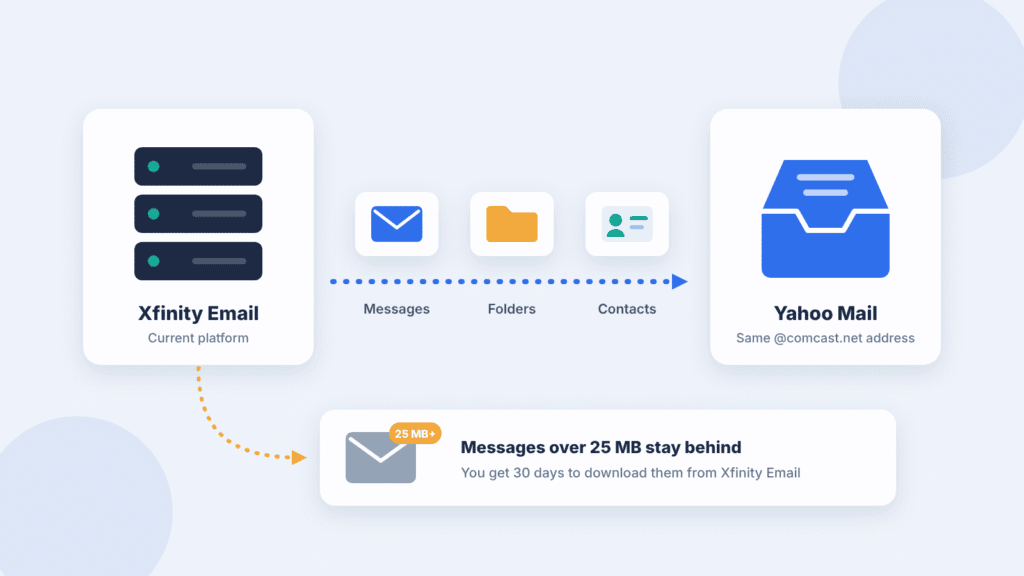
| Messages, folders and contacts | Move automatically, within the limits below |
| Messages over 25 MB or in an unsupported format | Don’t move. They go to a separate folder in Xfinity Email, and you get 30 days to download them |
| Folders beyond 4,100 | Combined into a single folder |
| Contacts beyond 10,000 | Lost |
| “Collected addresses” and contact groups | Don’t move; only contacts saved to your Address Book do |
| Folder names over 240 characters | Cut short automatically |
| Your folders named like Yahoo’s (“Sent”, “Drafts”) | Renamed |
| Filters and forwarding | Don’t move. Forwarding stops until you set it up again in Yahoo Mail |
| Outlook, Apple Mail and other mail apps | May stop syncing until you update them with Yahoo settings |
Full details are in Xfinity’s migration FAQ and Yahoo’s guide for Comcast.net accounts.
Before you accept
- Download and save any messages over 25 MB, since they won’t move to Yahoo Mail.
- Trim folders and contacts if you’re over the limits, and save any contacts you need to your Address Book.
- Write down your filters and forwarding rules so you can recreate them.
- List the apps and devices that use this address; you’ll need to re-add each one.
Deadlines, and if you don’t want Yahoo Mail
Xfinity’s help pages don’t publish a single deadline for accepting the move. Check the dates in your own invitation and act before they pass. If you’d rather not use Yahoo Mail, you can download your data and close the account at export.xfinity.com.
Spot a fake migration email
Genuine invitations come only from xfinity@updates.xfinity.com. Scammers are using the move to send fake “upgrade” emails and texts, so check every message before you act on it.
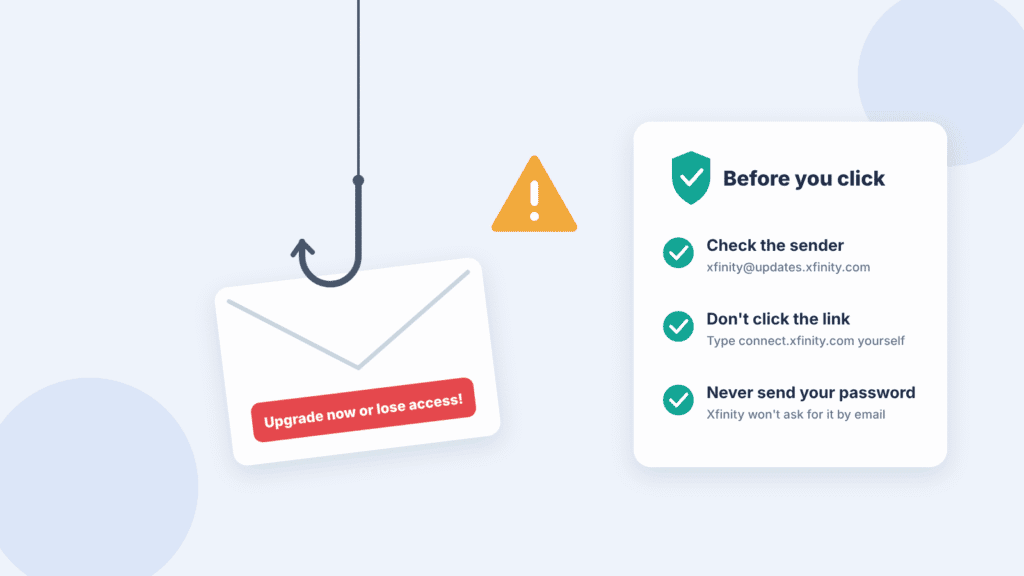
- Check the sender. Anything about the move from another address is not from Xfinity.
- Look for the verified logo. In Xfinity webmail, official messages show the Xfinity verified email logo.
- Check deadlines yourself. Be cautious of unexpected messages demanding immediate action. Real invitations can include dates, so verify any deadline by signing in at connect.xfinity.com yourself rather than clicking a link.
- Never send your password. Xfinity will not ask you to reply with your password or personal details.
- Don’t click the link. Type connect.xfinity.com into your browser yourself. You’ll only be asked to accept Yahoo’s terms after signing in there and being sent on to Yahoo’s own site.
If you’re unsure about a message, see Xfinity’s guide to phishing scams.
Recover your Xfinity ID or reset your password
Who resets your password depends on where your account lives: Xfinity before the move, Yahoo after it. Yahoo can’t reset the password of an account that hasn’t moved yet.
Forgot your Xfinity ID
Your Xfinity ID is usually your email address or mobile number. If you can’t remember it, use Xfinity’s online lookup tool and enter the mobile number or email address on your account. Once your account has moved, you sign in with your full Comcast.net address instead, so you won’t need the ID for email.
Reset your password if your account is still on Xfinity
- Go to xfinity.com/password.
- Enter your Xfinity ID, a verified mobile number, or a personal (non-Xfinity) email address.
- Choose whether to get a reset code by text or email.
- Enter the code and create a new password.
If no code arrives, check that you entered the right mobile number or personal email, and look in your spam folder. After resetting, update the saved password in any mail app that uses this address.
Reset your password if your account has moved to Yahoo Mail
Use Yahoo’s Sign-in Helper. If that doesn’t work, contact Yahoo support through welcome.yahoo.com. The new password applies to your email only, not your Xfinity account.
Recover deleted emails
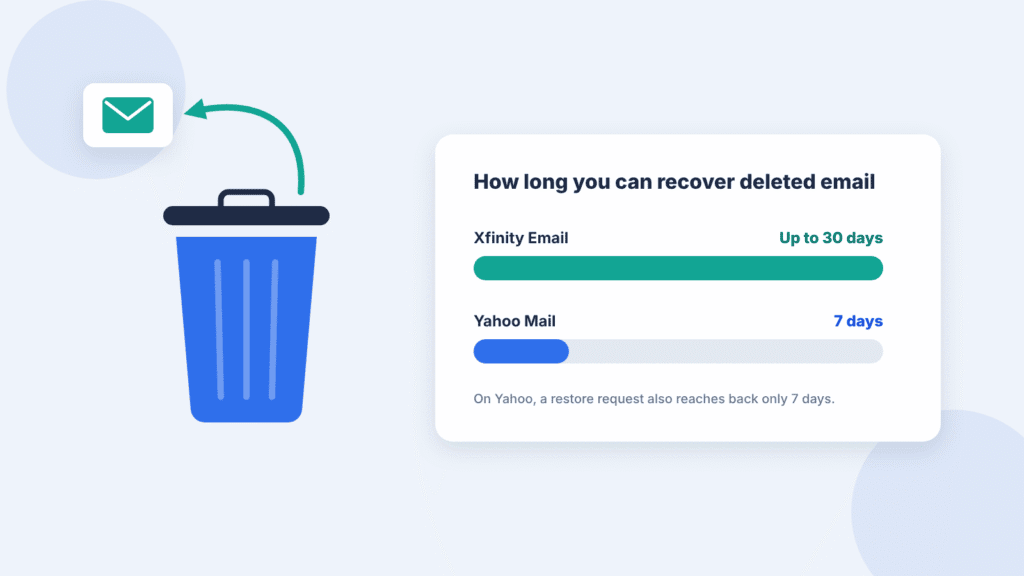
Act quickly. Xfinity Email lets you recover deleted messages for up to 30 days. In Yahoo Mail, you can restore messages from Trash for 7 days. If they’re already gone, a restore request may recover mail lost or deleted in the last 7 days, but it isn’t guaranteed.
If your account is still on Xfinity Email
- Sign in at connect.xfinity.com.
- Right-click the Trash folder, or click the More Actions icon (three lines) next to it.
- Select Recover Deleted Items.
- Select the messages you want back and click Move Selected Items.
- Choose a destination folder and click OK or Move.
If your account has moved to Yahoo Mail
- Open Trash in Yahoo Mail and move the messages back to your inbox. Yahoo empties Trash automatically after 7 days.
- If they’re no longer in Trash, send a restore request. It only covers mail lost or deleted in the last 7 days, can’t be cancelled, and doesn’t always work.
Yahoo won’t restore messages from Spam or Drafts, and restored messages usually land in your inbox.
Keep your email after cancelling Xfinity service
You can keep your Comcast.net address after you cancel, but only if you signed in through the Xfinity Email website in the 90 days before disconnecting. Reading your mail only in Outlook or a phone app doesn’t count.
- Before you cancel: sign in at connect.xfinity.com. Do this for every Comcast.net address on your account that you want to keep.
- After you cancel: sign in through the Xfinity Email website at least once every nine months to keep the account active.
- What changes: you can still use and manage your existing addresses, but you can’t add new ones.
Xfinity’s inactivity rules
Current customers must sign in at least once every 24 months, on the website or through a mail app. An account that goes longer is marked inactive and closed after a 90-day notice period, unless you sign in on the website before that period ends.
Xfinity’s and Yahoo’s help pages don’t say whether the nine-month rule still applies once a former customer’s account has moved to Yahoo Mail. Signing in every few months keeps you safe under either rule.
Set up your email in Outlook, Gmail or Apple Mail
Mail apps need different settings before and after the move. If an app that used to work suddenly rejects your password, your account may have moved while the app still has the old Comcast settings.
If your account is still on Xfinity Email
First, allow mail apps to connect. Without this, apps are refused even with the right password.
- Sign in at connect.xfinity.com.
- Click the gear icon, then Settings.
- Click Security.
- Under Third Party Access Security, check the box. Repeat for each Comcast.net address you use.
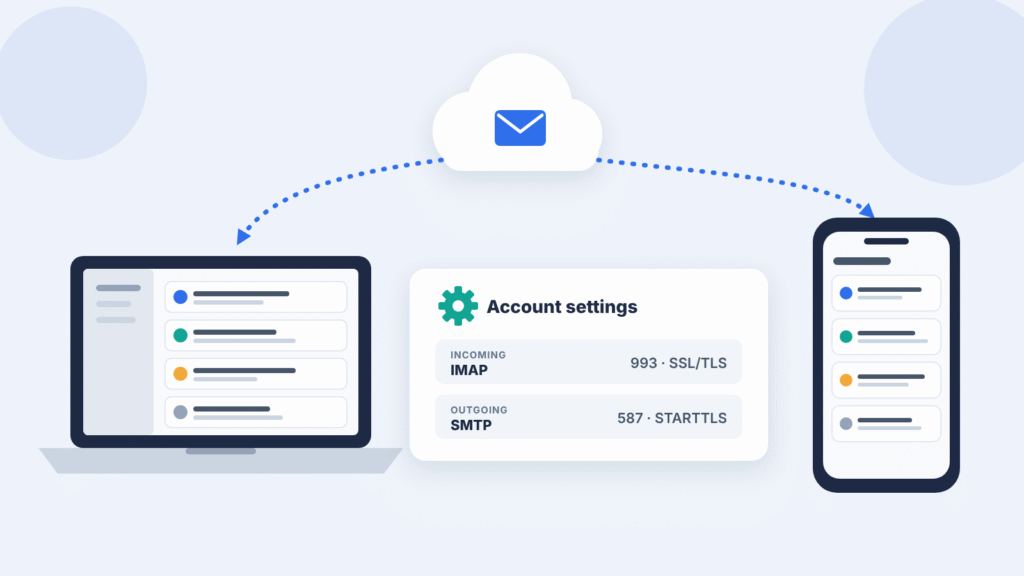
Then add the account in your app with these settings. Choose IMAP rather than POP if you’re asked.
| Setting | Incoming mail (IMAP) | Outgoing mail (SMTP) |
|---|---|---|
| Server | imap.comcast.net | smtp.comcast.net |
| Port and security | 993 with SSL/TLS | 587 with STARTTLS, or 465 with SSL/TLS |
| Username | Your full Comcast.net address | Your full Comcast.net address |
| Password | Your Xfinity password | Your Xfinity password |
If your account has moved to Yahoo Mail
Sign in at login.yahoo.com once, then remove the old account from your app and add it again. In Outlook, Apple Mail, iPhone Mail and the Gmail app on Android, choose Yahoo as the provider and sign in with your full Comcast.net address and password. Other apps need these settings:
Before you remove the old account, sign in to Yahoo Mail on the web and check that your messages are there. If your app used POP rather than IMAP, some mail may be stored only on your computer, so copy it to a local folder first.
| Setting | Incoming mail (IMAP) | Outgoing mail (SMTP) |
|---|---|---|
| Server | imap.mail.yahoo.com | smtp.mail.yahoo.com |
| Port and security | 993 with SSL/TLS | 465 with SSL/TLS, or 587 with STARTTLS |
| Username | Your full Comcast.net address | Your full Comcast.net address |
| Password | Your password, or a Yahoo app password | Your password, or a Yahoo app password |
If your password doesn’t work in the app, create an app password:
- Open your Yahoo Account Security page.
- Under External connections, click App passwords.
- Click Create app password, enter the app’s name and click Generate password.
- Copy the password and paste it into your app.
Use a browser you’ve signed in to Yahoo with for several days, not a private or incognito window. If some folders are missing in your app, rename them in Yahoo Mail on the web to remove special characters such as “/”.
Check your email on your phone
Xfinity retired its Xfinity Connect email app in April 2021, so you’ll need another app.
If your account has moved to Yahoo Mail, install the Yahoo Mail app for iPhone or Android and sign in with your full Comcast.net address. You can also use your phone’s own mail app:
- iPhone Mail: Settings > Apps > Mail > Mail Accounts > Add Account > Yahoo. Close the offer to install the Yahoo app, then sign in.
- Gmail app on Android: tap your profile picture > Add another account > Yahoo. Tap “Maybe later” on the Yahoo app offer, then sign in.
If your account is still on Xfinity Email, add it to your phone’s mail app using the Comcast settings in the section above, after turning on third-party access. Or sign in at connect.xfinity.com in your phone’s browser.
Fix sign-in and loading problems
Most problems come from using the wrong sign-in page or old settings after the move. Find what you’re seeing below.
| What you see | Likely cause | What to do |
|---|---|---|
| Yahoo says it doesn’t recognize your address | A mistyped address, or your account hasn’t moved yet | Check the full address with “@comcast.net”, then sign in at connect.xfinity.com to look for an invitation, or ask Xfinity support to confirm your status |
| Xfinity rejects a password you know is right | Your account may have moved | Try login.yahoo.com. If both reject you, reset at xfinity.com/password if your account hasn’t moved, or with Yahoo’s Sign-in Helper if it has |
| A mail app rejects your password, but webmail works | Third-party access is off (Xfinity accounts) | Turn on Third Party Access Security in Xfinity Email settings |
| A mail app stopped working after the move | The app still has Comcast settings | Remove the account and add it again as Yahoo; create an app password if needed |
| Folders are missing in your mail app after the move | Special characters in folder names | Rename the folders in Yahoo Mail on the web |
| Contacts are missing after the move | They were saved as “Collected addresses” or only on your phone or in Outlook | Check your phone’s or Outlook’s contacts |
| Email stopped forwarding to another address | Forwarding doesn’t carry over | Set up forwarding again in Yahoo Mail settings |
| You can’t sign in after cancelling service | No website sign-in in the 90 days before disconnecting, or the account went inactive | Contact Xfinity support to check the account’s status |
| The page spins or won’t load | Old browser data or an extension | Clear cookies and cache, then try a private window, another browser or another device |
Still stuck? Contact Xfinity support if your account hasn’t moved, or Yahoo support through welcome.yahoo.com if it has.
Frequently asked questions
Do I have to move to Yahoo Mail?
Xfinity calls the move an upgrade and is inviting every active account. If you don’t want Yahoo Mail, the alternative it offers is to download your data and close the account at export.xfinity.com. Check your invitation for any dates.
Will I lose any emails when my account moves?
Most of your mail, folders and contacts move automatically. Messages over 25 MB don’t move, and you get 30 days to download them. The table under “What moves and what doesn’t” lists the other limits.
Can I switch back to Xfinity Email after moving?
No. Once you accept Yahoo’s terms, you can only reach your mailbox through Yahoo Mail.
Does the move affect my Xfinity internet, TV or phone service?
No. Moving your email doesn’t change any paid Xfinity services.
I already have a Yahoo account. Can I keep both?
Yes. Yahoo allows up to 10 accounts, so your Comcast.net mailbox can sit alongside an existing Yahoo address. Sign out of your Yahoo account before you start the move.
Can I still get a new Comcast.net email address?
No. Xfinity stopped creating new Comcast.net addresses in June 2024. Existing addresses keep working.

Louis Mugan is a seasoned technology writer with a talent for turning complicated ideas into clear, practical guidance. He focuses on helping everyday readers stay confident in a world where tech moves fast. His style is approachable, steady, and built on real understanding.
He has spent years writing for platforms like EasyTechLife, where he covers gadgets, software, digital trends, and everyday tech solutions. His articles focus on clarity, real-world usefulness, and helping people understand how technology actually fits into their lives.
Outside of his regular columns, Louis explores emerging tools, reviews products, and experiments with new tech so his readers don’t have to. His steady, friendly approach has made him a reliable voice for anyone trying to keep up with modern technology. get in touch at louismugan@gmail.com